


One Plugin for Resource Planning & Time Tracking in Jira
Have full visibility of the project timeline: from the first logged hour to the last finished task.





Plan. Work. Track. Report
Check how Activity Timeline can help you with resource planning in Jira
Capacity planning
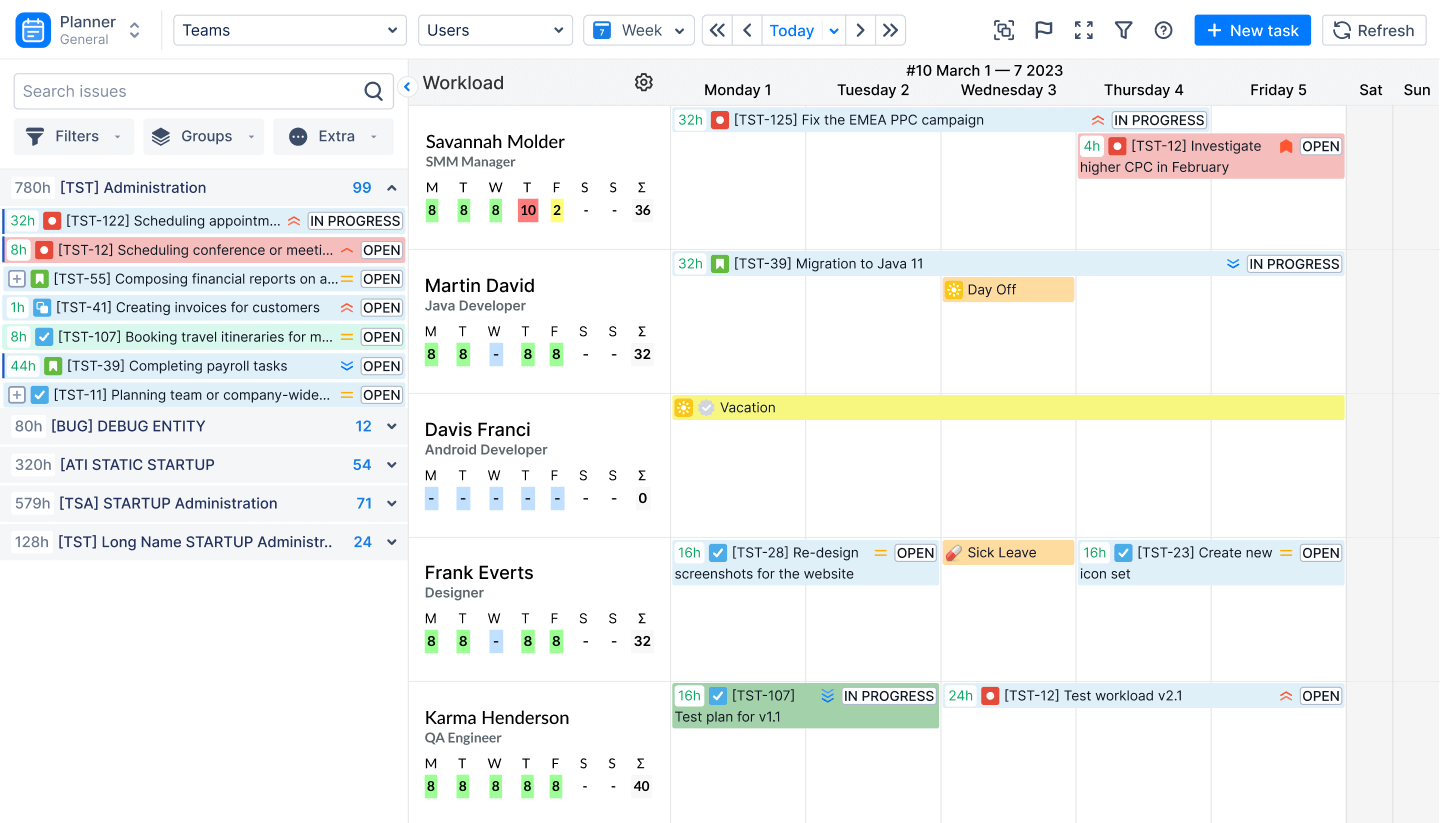
Have full visibility of who is doing what and when it's going to be done.
Individual Time Tracking
Control personal or employee workload in Jira. Visualize the initiatives and schedule to hit the deadlines with Jira scheduling tool

Team Timesheets
Use customizable timesheet reports to track logged hours on team & individual levels. Export the reports into Excel format with a single button click.

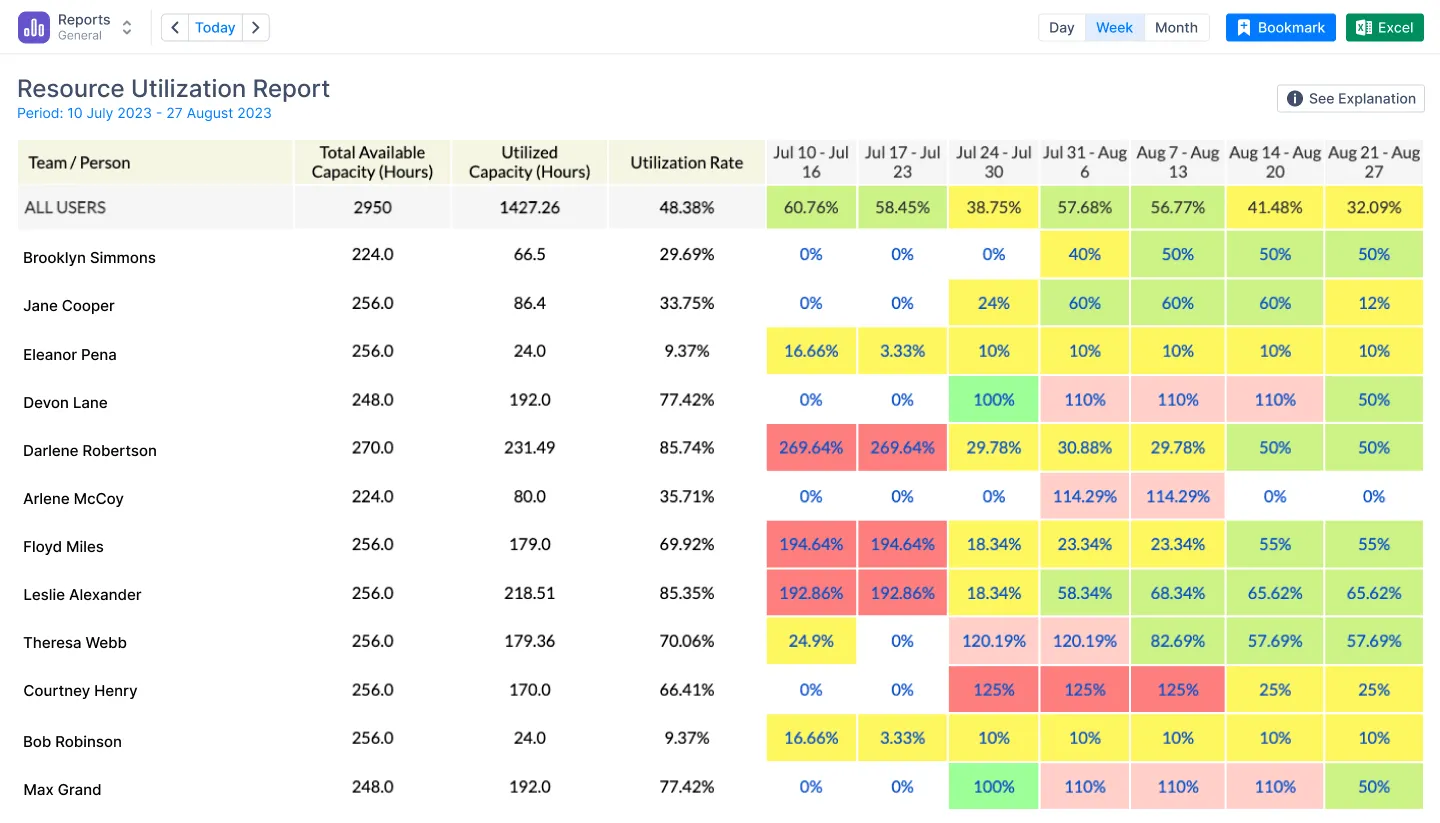
Resource Utilization
Level up your Jira team management with our flexible reports. Generate easy-to-understand reports using our templates and optimize your delivery pipeline with cycle time insights.
We're full of features to improve your Jira scheduling
Here are some you shouldn’t miss Activity Timeline Jira
ActivityTimeline Dashboard
Get a quick overview of scheduled tasks per each person in every specific week.
Add Holidays, Days Off, Sick Leaves, or repetitive tasks to improve capacity management in Jira.

Workload Indicator
See how many hours are allocated per person per work day based on the remaining estimate of scheduled Jira issues.

Skill management
Align your users with their the field of their expertise, so you can easily find needed resources.

Team level planning
Group users into teams by project or competency (skill/position) and allocate high-level tasks &
initiatives to see if you have enough resource. Integrate with Advanced Roadmaps & Jira teams.
.png)
Easy-to-use Timesheet reports
Get advanced time tracking reports from Jira to see where you team spends its time. Compare planned vs actual to understand if your estimates are correct.

Automatic Synchronization with Jira
Every change in Jira will show up on Activity Timeline's Dashboard and every update to issue on AT Dashboard will be shared to your Jira database.

Forecasting reports & charts
Forecast the capacity of your resources to see if you have enough resources & skills to complete the project on time with Jira Activity Timeline

You are in good hands
Explore the measures we take to safeguard your data and trust


