How capacity planner can help you

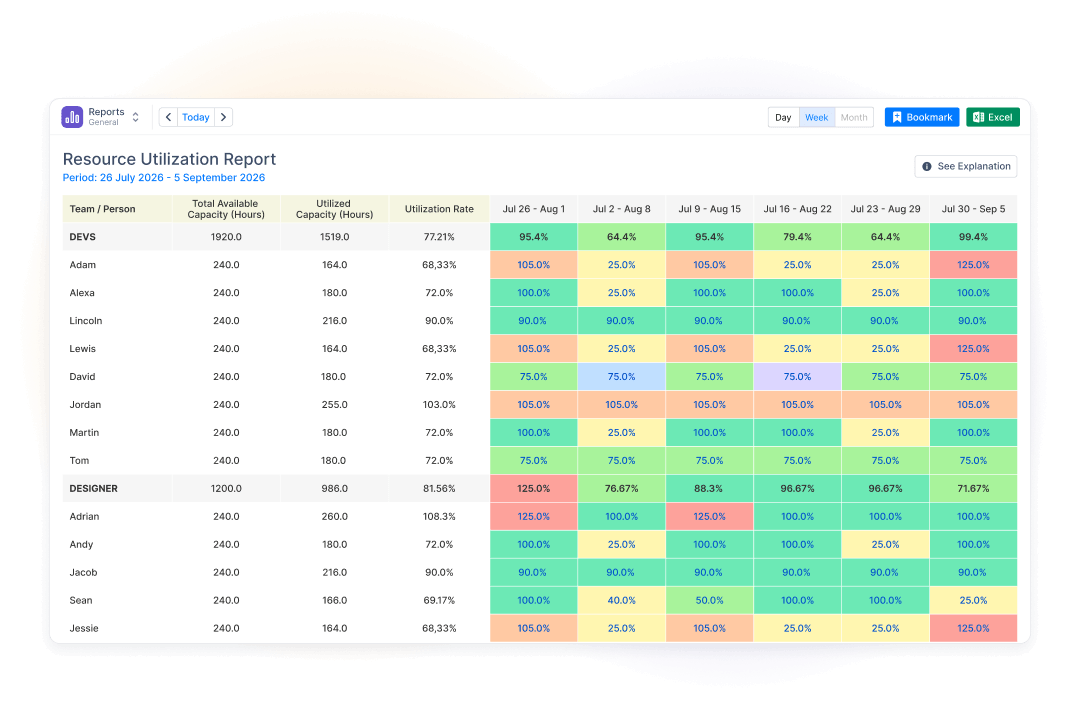
resource utilization
Manage resource utilization
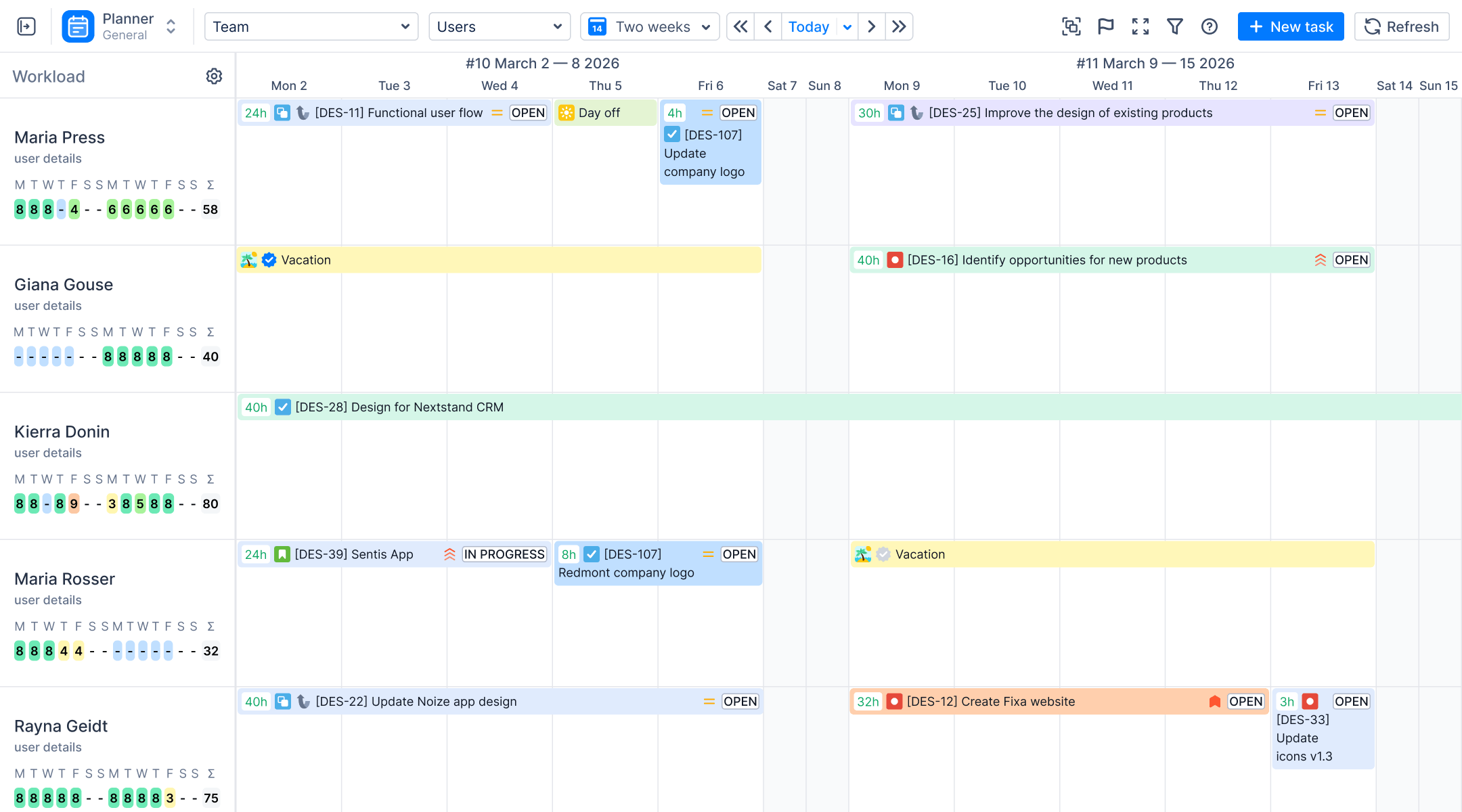
Know instantly who's overloaded, balanced, or free. Drag a task to rebalance the moment you spot the problem, not after it costs you a deadline.
team capacity
Get true team capacity
Real life happens: people take time off, get sick, and spend hours in meetings. Plan around actual availability instead of ideal 8-hour workdays, so your schedules stay realistic.
skill shortage
Detect skill shortage
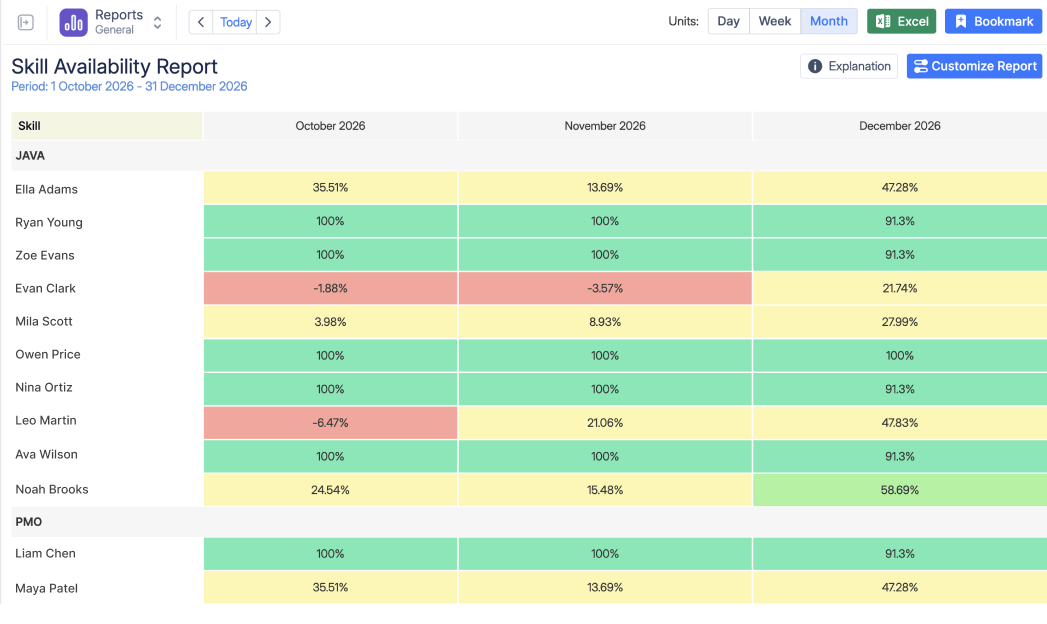
Know if you have enough of the right expertise before you commit to the next project. See capacity by skill and experience level, so you catch a shortage while HR still has time to hire for it.

Gerencie a capacidade com facilidade

Descubra como usar o ActivityTimeline, nosso principal plug-in de planejamento de capacidade do Jira.

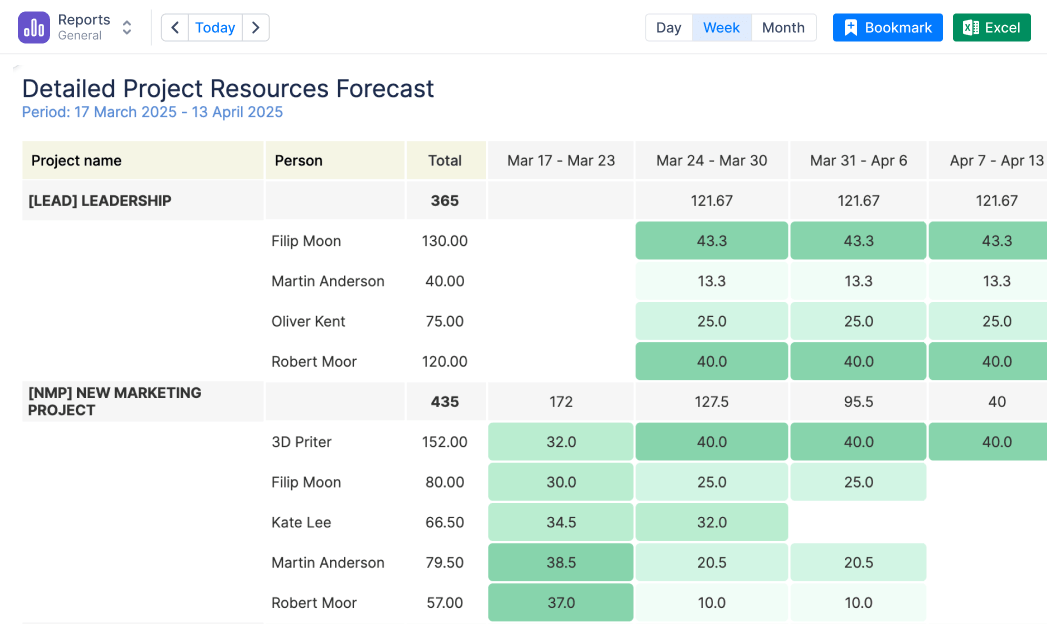
Obtenha uma visão de vários projetos

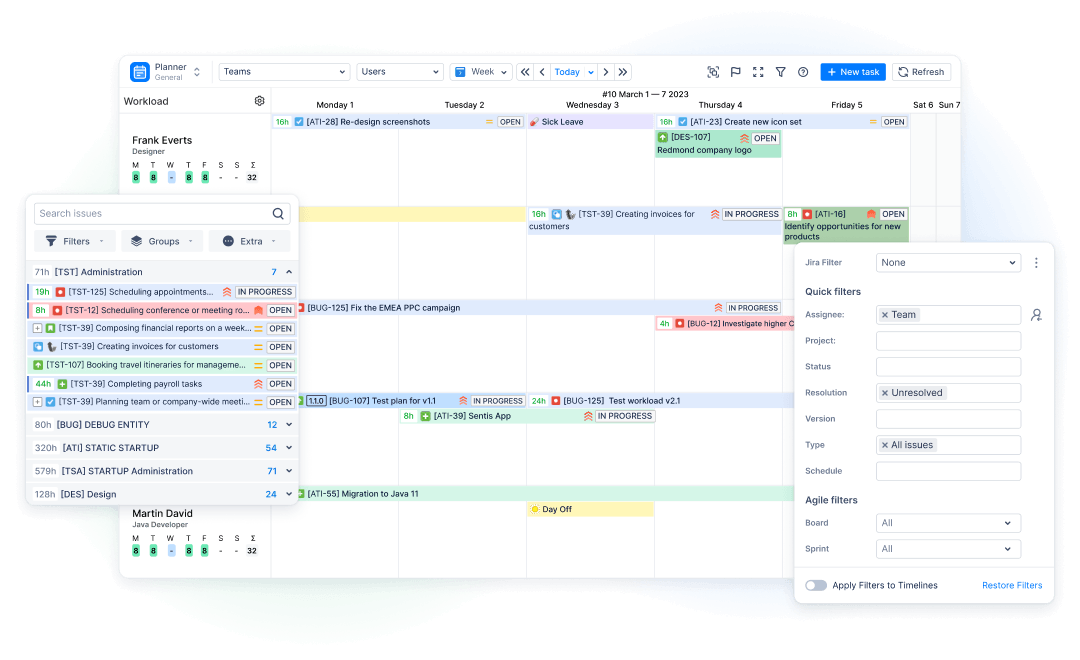
O aplicativo se sincroniza perfeitamente com o Jira, para que você possa atribuir e rastrear tarefas existentes do Jira ou criar novas diretamente do painel principal. Garanta que a carga de trabalho de recursos esteja alinhada às várias demandas do projeto.
Get cross-project view
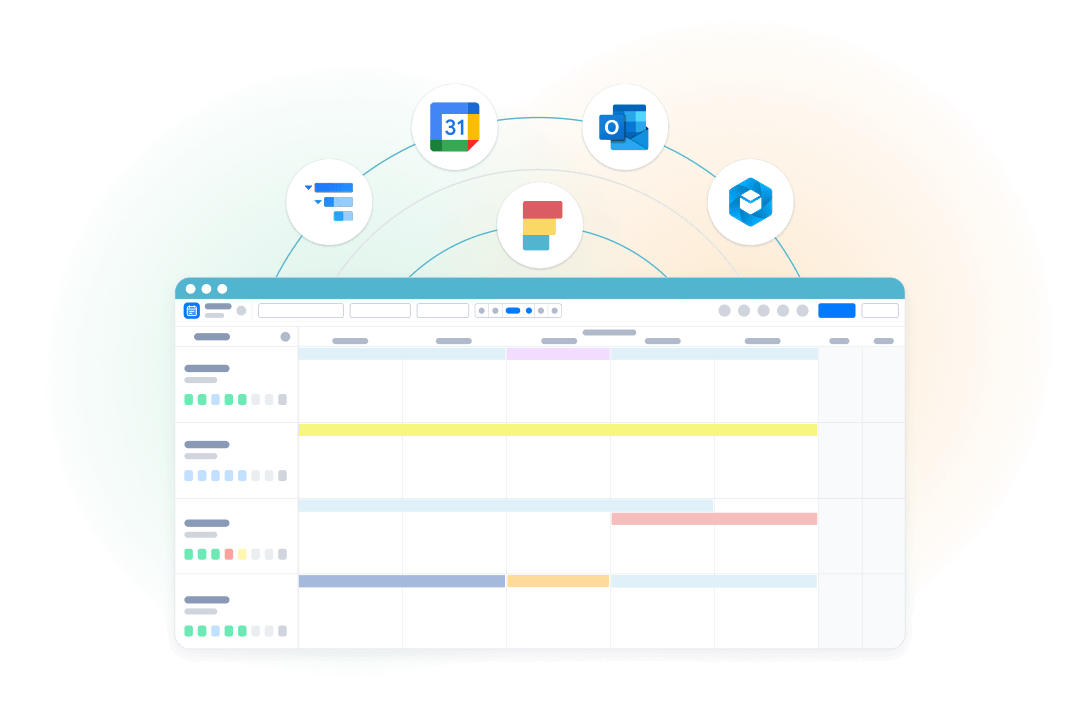
Sync time off automatically

Atribuição de tarefas com base em habilidades

Atribua tarefas aos membros da equipe diretamente do painel. Adapte as tarefas a habilidades e funções específicas para otimizar a alocação de recursos.

Insights de recursos em nível individual e de equipe

O ActivityTimeline oferece insights sobre a capacidade de recursos nos níveis individual e de equipe. Cada equipe e cada membro individual têm um indicador de carga de trabalho dedicado, oferecendo uma visão detalhada de sua capacidade.
Understand resource utilization
Let us solve your biggest
Jira planning headache in 25 minutes.

Marketplace review
planner

Relatórios para visualização fácil da capacidade

Use os indicadores de carga de trabalho para monitorar as cargas de trabalho individuais e da equipe em tempo real.

Como nosso plugin de planejamento de capacidade pode te ajudar:

Tailored to the scheduling headache you tell us about — not a generic tour.

Get cross-project view
Gerenciar a Utilização de Recursos
Workload Indicator
Workload indicators
Holiday Management
Holidays & skills setup
Resource Utilization Chart
Utilization report
Your questions,
answered live
Q&A on your setup

Frequently Asked Questions

What exactly does capacity planning in ActivityTimeline show me?
It compares each person's workload (scheduled Jira hours and custom events) against their available capacity (working hours minus time off). This data is displayed as a real-time, color-coded indicator directly under each resource on the timeline.
Do I need to set up anything special in Jira first?
No, all you need is to select what projects you want to use ActivityTimeline in.
How is a person's available capacity calculated?
Capacity is calculated from an individual's daily involvement hours (default is 8h/day) minus non-working events like vacations, sick leave, and holidays. These schedules can be set globally, individually, or bulk-assigned to entire Jira groups using Workload Schemes.
Can I track capacity for non-Jira users (contractors, rooms, equipment)?
Yes, you can create non-Jira entries called Resources to represent contractors, rooms, or equipment and assign them specific skills or teams. While you cannot assign real Jira issues to them, they can be scheduled using Bookings and Placeholders up to your licensed user limit.
Can I plan capacity before I have actual Jira tickets created?
Yes, you can use Booking events to reserve time for general activities or Placeholder events for tentative future tasks. Approving a placeholder automatically creates and assigns the actual issue inside Jira, allowing you to plan headcount months in advance.
Comece a usar gratuitamente agora. Seus projetos vão agradecer.
Comece seu teste grátis de 30 dias. Não é necessário cartão de crédito.
Planer | ActivityTimeline