Como os relatórios avançados do Jira podem ajudar você

Get a lightweight and adaptable solution
Configuração intuitiva
Obtenha relatórios fáceis de entender no Jira para cada caso de uso sem a necessidade de uma análise aprofundada.
A wide range of reports
Uma ampla variedade de relatórios
Acesse uma grande seleção de relatórios na biblioteca de modelos que fornecem dados precisos sem exigir conhecimentos técnicos.
Effortless data handling
Manipulação de dados sem esforço
Exporte perfeitamente todos os relatórios como arquivos do Excel para facilitar o compartilhamento e análises adicionais.

Transforme seus dados com relatórios personalizados do Jira

Relatórios de Previsão e Utilização de Recursos

Evite a sobrecarga de trabalho com o Relatório de Utilização de Recursos, compreenda a disponibilidade dos usuários com o Relatório de Disponibilidade Individual, visualize a utilização da equipe com o Gráfico de Pizza, e explore outros relatórios para simplificar suas análises no Jira.

Forecasting & Resource Utilization Reports
Tracking Reports

Relatórios de Acompanhamento

Esses relatórios podem ser usados para analisar o desempenho da equipe e identificar áreas de melhoria. Por exemplo, o Relatório de Progresso do Projeto para acompanhar o avanço dos projetos em relação aos prazos planejados, ou o Relatório de Planejado vs. Realizado para comparar as tarefas planejadas com os resultados reais.

Relatórios de licenças e eventos

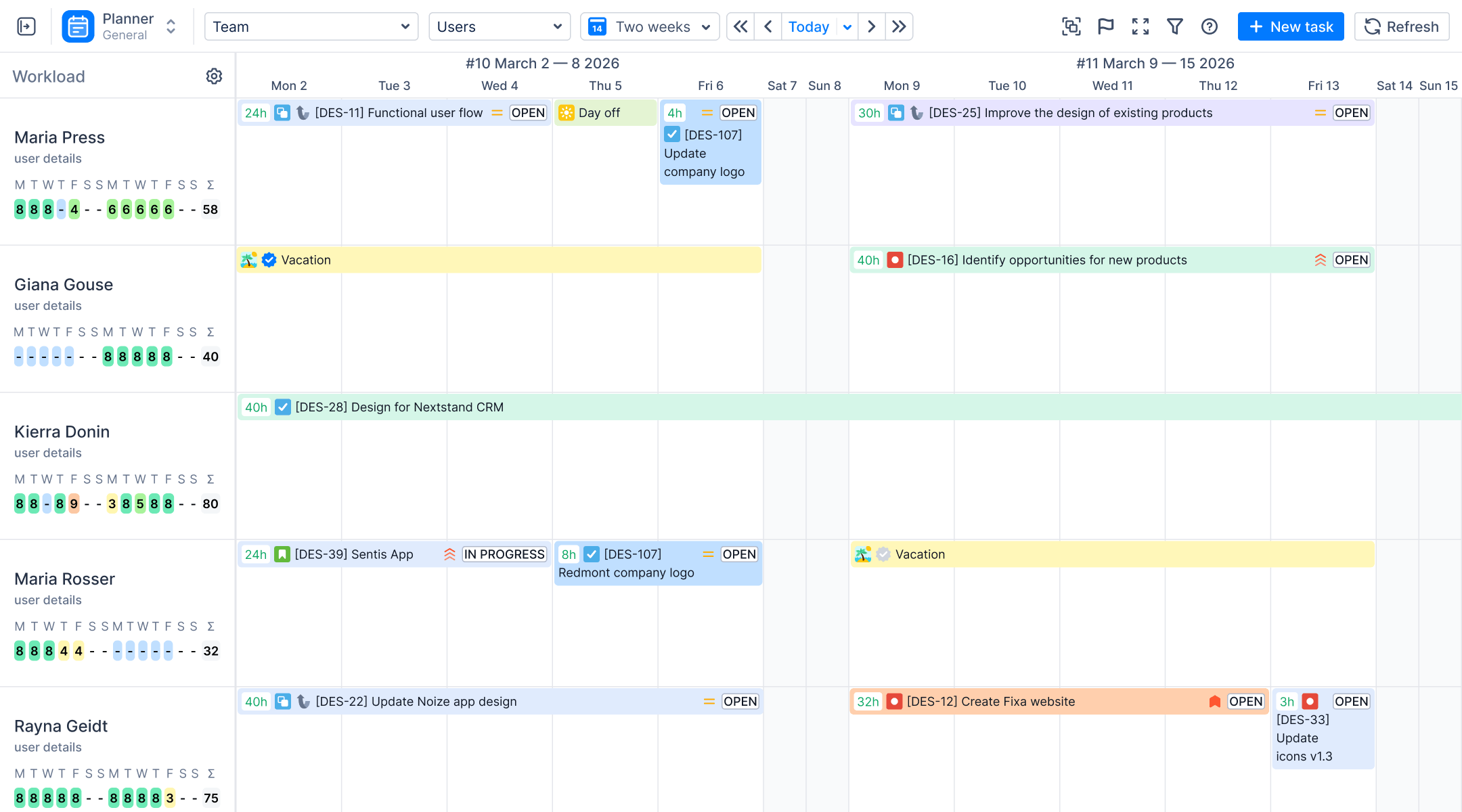
Este relatório oferece uma visão geral abrangente de todos os eventos relacionados a férias, incluindo licenças médicas, férias, folgas e folgas parciais, para cada membro da equipe. Fornecer essas informações facilita o planejamento proativo, garante uma carga de trabalho equilibrada e ajuda a evitar o esgotamento da equipe.

Leave & Event Reports

Frequently Asked Questions

What reporting does ActivityTimeline offer that Jira doesn't have natively?
ActivityTimeline provides cross-project reporting, resource utilization forecasts, availability tracking, and planned vs. actual comparisons. It also tracks billable versus non-billable time, leave events, and allows full timeline exports to Excel.
Can I run reports across multiple Jira projects at the same time?
Yes, all reports support multi-selection from the Project dropdown or via saved JQL filters to cover your entire instance. This allows you to generate unified reports across several projects simultaneously.
How do availability reports differ from utilization reports?
Utilization reports show scheduled work as a percentage of capacity, while availability reports show the remaining free hours after work is subtracted. Availability can be viewed at the individual, team, or skill level to quickly find the right person for a new task.
How does the Resource Utilization Forecast calculate utilization?
The report divides utilized capacity (scheduled hours from Jira tasks and timeline bookings) by total available capacity (working hours minus time off). This generates a weekly utilization percentage to help identify upcoming resource overloads before they occur.
What is the Project Resources Forecast report used for?
This report shows exactly where individuals are spending their time across different initiatives over a specified timeframe. Displayed as a heatmap, it highlights heavy allocations to help answer which projects consume the most resources.
How does the Planned vs. Actual report define "On Track" or "Underestimated"?
The report compares original estimates against the combination of time spent and remaining estimates. Tasks are "On Track" if totals match within a custom tolerance, "Underestimated" (red) if they take longer, or "Overestimated" (yellow) if they finish faster than expected.
How does the Project Progress Report calculate completion percentage?
It calculates completion either by Time Spent (Worklogs divided by Worklogs plus Remaining Estimate) or by Issue Count. The data is organized hierarchically, allowing completion bars to roll up from individual issues to epics and overall projects.
Can I pull a report specifically for billable vs. non-billable client invoicing?
Yes, the Detailed Timesheet can group entries by custom categories like Billable and Non-Billable. For client invoicing, the Detailed Worklog Report neatly exports all records with timestamps, comments, and categories to Excel.
Can I group and filter reports by custom Jira fields?
Yes, the configuration panel for most tabular reports includes a Custom Fields selector. This allows you to group or add data columns based on corporate structures like Client, Cost Center, or Department.
How do I save report templates or share them with non-Jira users?
You can save configurations as bookmarks or Saved Dashboards and set access levels to Private, Shared, or Public. Sharing the generated report link carries the full configuration, allowing even non-Jira users to access the most current data.
How do I embed ActivityTimeline reports in a Jira dashboard or Confluence page?
You can embed live reports using the ActivityTimeline gadget within Jira dashboards. For Confluence, generate an Embed URL from the report template and paste it into an iFrame macro to display interactive, permission-aware data.
What formats do exports support and what data is included?
Every report features a one-click export to standard .xlsx format for use in Excel, Google Sheets, or LibreOffice. Exports contain structured data matching the report type, including detailed worklogs, utilization percentages, or full daily schedules from the planning dashboard.
Can I access report data programmatically via API?
Yes, ActivityTimeline provides a REST API that covers the main reporting data categories. Endpoints allow you to programmatically pull daily workloads, availability, total capacity, and specific worklog records.
Are there limits on how far back historical reports can go?
There is no hard cutoff, but calculations depend on available Jira issues and logged time. Issues exceeding the default 18-month "Ignore issues older than" limit may be excluded, though administrators can easily increase this threshold for deeper historical analysis.
Transforme dados em relatórios fáceis de entender
Comece seu teste grátis de 30 dias. Não é necessário cartão de crédito.
Planer | ActivityTimeline