
Are you wondering about the best Jira plugins for 2026? We'll look at 11 plugins for Jira that will help make your Jira resource planning, project management, and collaboration life a whole lot easier. Read on to find out which ones made the cut.
Also, you will find out which of these plugins offer great functionality but also come with a low price tag. So if you're looking to make your Jira experience better without breaking the bank - we've got that covered as well. In addition, read about installation and setup tips.
What are Jira plugins?
Jira plugins - also called add-ons or apps - are extensions from the Atlassian Marketplace that add capabilities Jira doesn't ship with, such as resource planning, timesheets, test management, custom reporting, and integrations with external tools. They can be used for additional reporting, customizing field visibility on user interfaces, and integrations with external applications (such as Salesforce).
What can Jira plugins do?
Jira plugins range from simple time-tracking tools to complex integrations like customer relationship management or resource management systems. These tools allow you to customize your workflow to meet specific needs. Teams use them to automate repetitive processes, improving productivity and collaboration. Also, plugins could play a big role in Jira as resource planning or capacity management. They provide users with an enhanced experience when working within the Jira platform, while Agile teams no longer have to manually implement changes every time standards or industry regulations evolve.
Other advantages include data visualization capabilities or resource dependencies that turn raw information into meaningful insights. Plugins automate manual tasks to maximize efficiency and centralize related projects through integrations with services like GitHub or BitBucket. They also improve service delivery by allowing partners access to shared resources without direct system rights and provide control over visibility based on company hierarchy.
The list goes on.
How to install Jira plugins?
There are two ways to install Jira plugins:
- Installing a custom Jira plugin:
- Log in to your account
- Select Admin Settings
- Select Apps, and then Manage apps
- Select Upload app
- Select the app file (.jar or .obr file) or enter the URL where the file can be found
- Enter app signature (if signing enabled).
- Select Upload
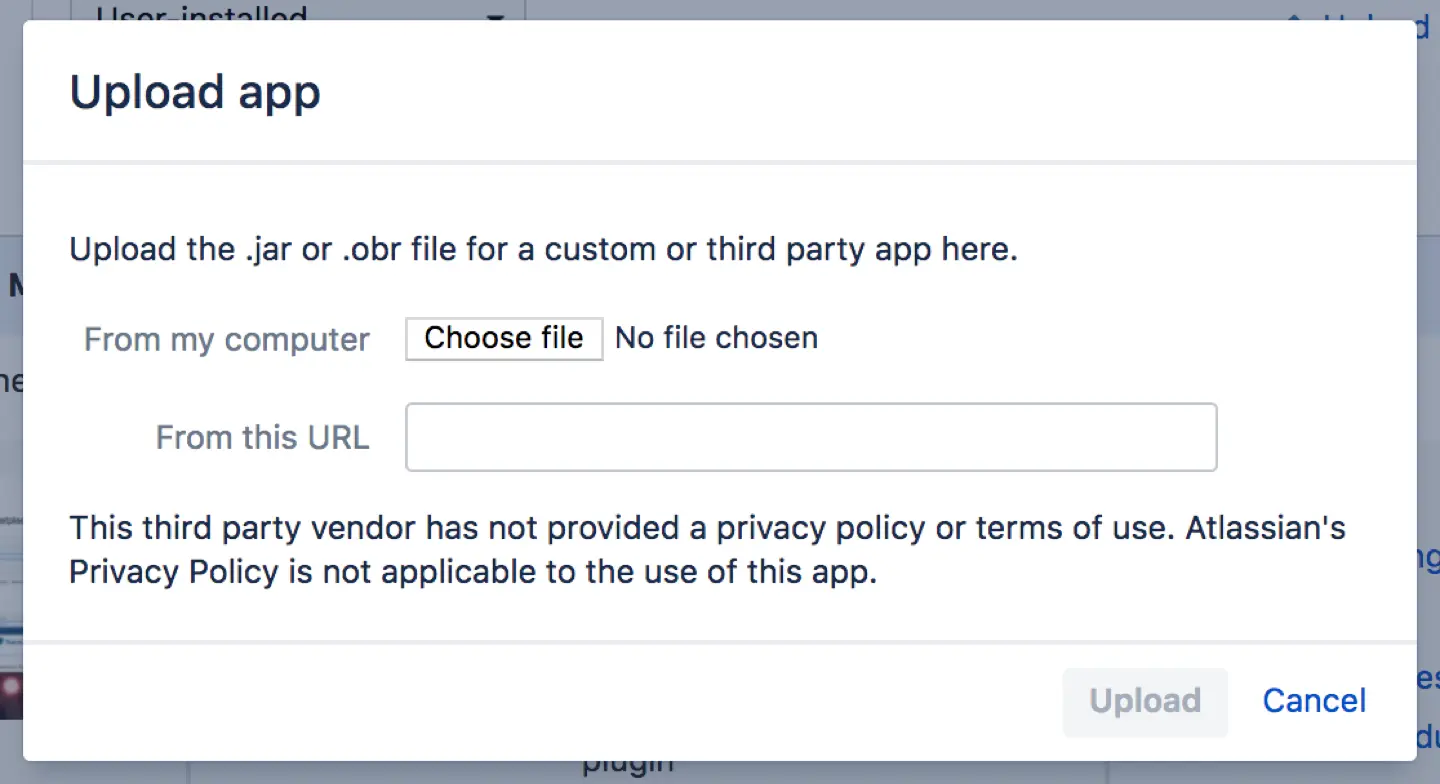
Once installation is complete, the app will be listed. You may need to enter a license before you can use the app.
- Installing from the Atlassian Marketplace:
- Log in to your account
- Select Apps, and then Manage apps
- Select Find apps
- Search by the app name, or choose a category
- Follow the prompts and choose to Install, Buy now, or start a Free trial
How do you choose the right Jira plugin?
Choosing the best Jira add-ons out of dozens available might seem overwhelming. Project management leaders often spend significant time searching for the right tools, but several methods can help narrow the choice.
First, decide what core functions you need and what customization features there should be: calendar activities, cross-program dependencies, custom charts, advanced automation features or activities in projects, custom issue fields, icons, issue workflows, reports, fields, filters. Since descriptions alone can be misleading, always use a trial version to test the tool firsthand before committing.
Second, check how frequently the developer updates the product. Review recent user feedback and verify compatibility across different platforms so your tool will remain reliable.
Finally, evaluate the pricing range.
Top 10 Best Jira Plugins in 2026
Here are the top 11 trending Jira plugins. Note that these apps (except TMetric) offer a 30-day free trial for all versions. You can extend it for up to six months on Data Center, but Cloud trials are non-extendable.
How we chose: every plugin here is listed on the Atlassian Marketplace with sustained user ratings, active vendor updates, and Cloud + Data Center availability (where noted). Pricing was checked on the Marketplace in <month year>. We build ActivityTimeline, so we've marked it clearly — and we've kept the pros/cons honest for every entry, ours included.
ActivityTimeline – Resource Capacity Planning Plugin

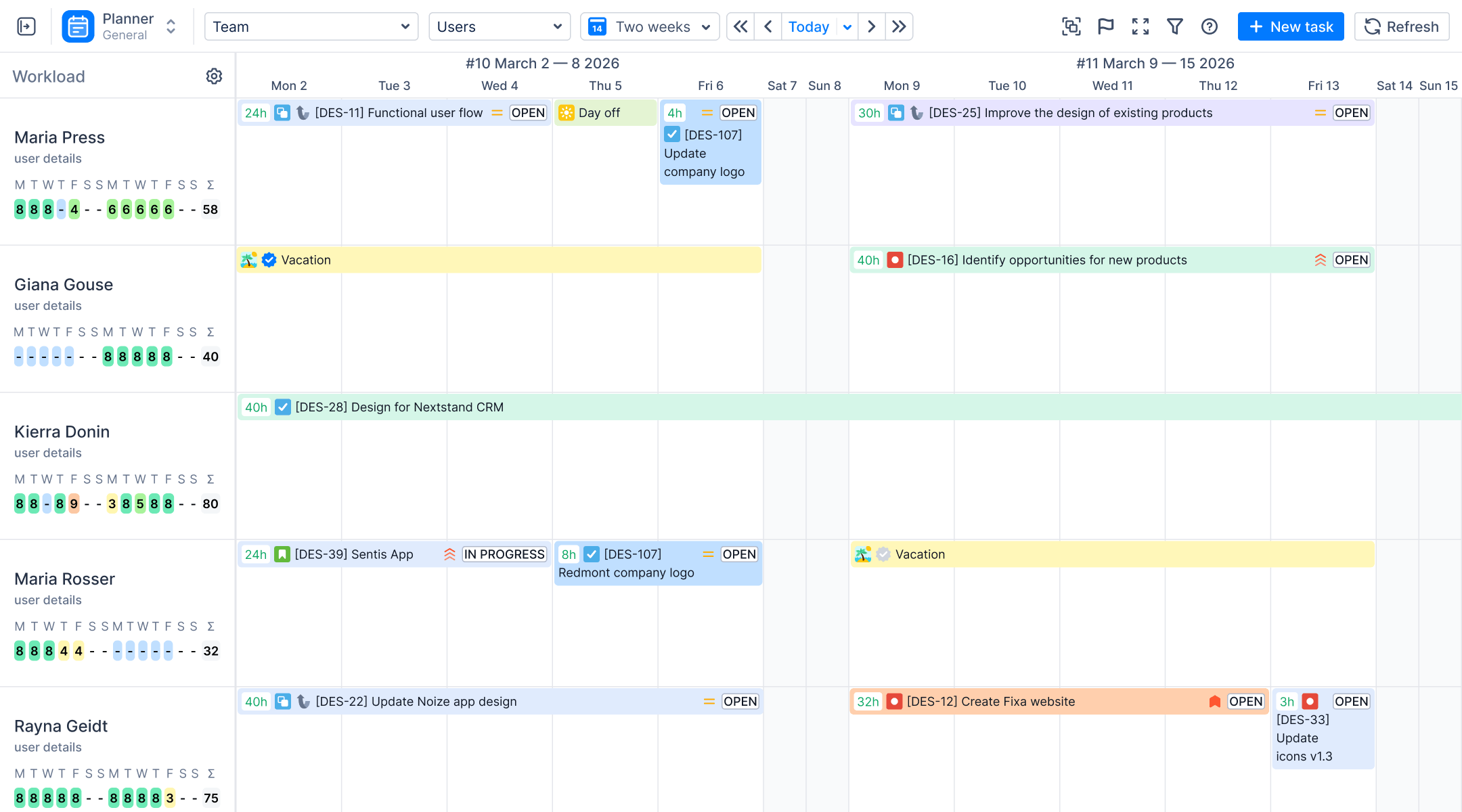
ActivityTimeline is a resource capacity planning and time tracking plugin for Jira that shows team workload, availability, and utilization on a drag-and-drop timeline. It compares planned workload against real capacity like factoring in vacations, holidays, part-time schedules, and overtime, so managers can spot overload or idle time before it derails a project. ActivityTimeline has a powerful time tracking system, timesheets, and reporting.
The app is built around four modules that cover the full cycle: Planner for scheduling Jira tasks, bookings, and time off across people and teams; Workspace, a personal cockpit where each team member sees their own schedule and logs hours; Timesheets for reviewing, approving, and exporting logged time (including configurable approval periods, so entries can't be backdated after a period closes); and Reports for utilization forecasts, planned-vs-actual analysis, and Excel exports. Charts like the Team Capacity Chart and Team Utilization Pie Chart can be grouped by any Jira custom field. The plugin also covers budget and cost tracking, making it a resource management and financial planning tool in one.
Estimates work in both hours and story points, and the timeline UI is simple enough that new users can rearrange plans by drag-and-drop from day one.
ActivityTimeline’s centralized logging and reporting feature helped FractureCode Corporation resolve inconsistent data issues and meet labor regulations through structured reporting.
Pros:
- Full cycle in one app: capacity planning, time tracking, timesheet approvals, and reporting
- Real-time workload and availability that accounts for holidays, vacations, and overtime
- Utilization forecast and planned-vs-actual reports on team and individual levels
- Budget and cost management on top of resource planning
Cons:
- The breadth of advanced functions can feel overwhelming at first glance
- Lacks a dedicated mobile solution
Pricing:
- Standard: Flat fee for teams of up to 10 users. Monthly rates for larger teams range from $2.50 to $0.12 per user, while annual plans start at $375 and reach $12,995 for 100,000 users.
- Advanced: Flat fee for teams of up to 10 users. Monthly rates for larger teams range from $3.50 to $0.18 per user, while annual plans start at $525 and reach $19,495 for 100,000 users.
Want planning, timesheets, and reports in one plugin? ActivityTimeline is free for teams up to 10 users. Try it on the Atlassian Marketplace.
TMetric - Time Tracking for Jira
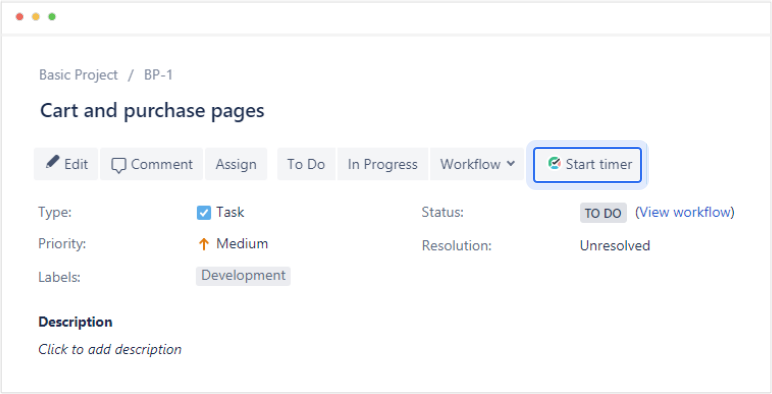
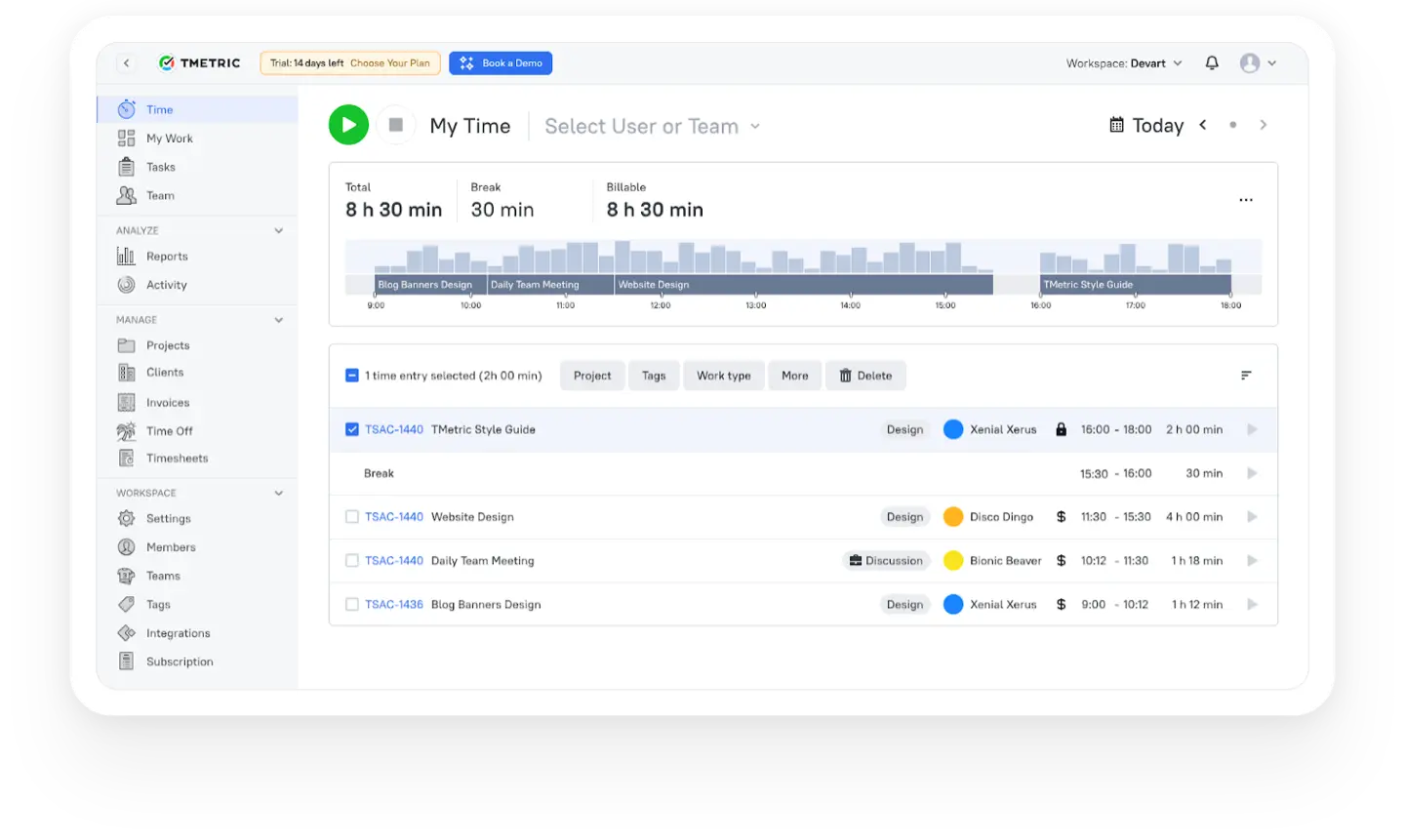
TMetric is a time tracker that records work directly within Jira issues. It integrates a timer button into the Jira interface, enabling users to start/stop tracking without switching between tools. TMetric provides time reports, billable hours, and timesheets to improve productivity insights and manage project costs. It synchronizes tracked time with Jira work logs to provide a clear view of team performance.
Pros:
- Track time directly inside Jira with one-click timers
- Generate detailed timesheet and worklog reports for performance insights
- Synchronize tracked time back to Jira to keep work logs up-to-date
Cons:
- Jira time synchronization is restricted to Business and Enterprise plans
- Employee can’t request time-off on the mobile app
- The mobile app has no offline mode
Pricing:
- Free plan is valid for up to 2 seats with limited features.
- Professional plan: $5 per seat monthly.
- Business: $7 per seat monthly.
- Enterprise: Custom pricing.
TMetric offers a 14-day fully featured free trial. You can extend it for another 7 days if needed. Annual billing saves you up to 20%.
Structure by Tempo - Project Portfolio Management for Jira
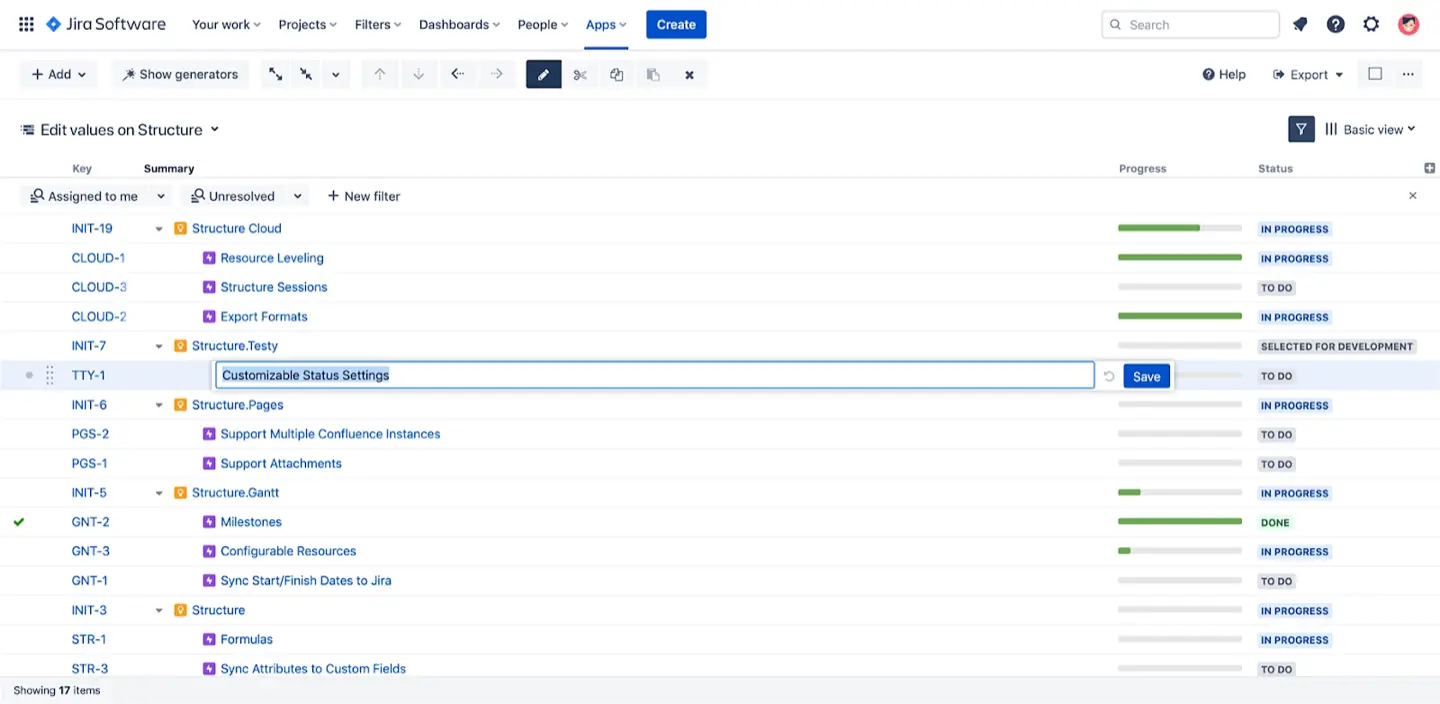
Structure by Tempo is a project portfolio management solution for Jira software that boosts the visibility and transparency of workspaces. Users can manage multiple parallel projects, create workflows, and analyze progress over time. The plugin features filters to categorize tasks and view details for individual items or entire projects. The interface with a drag-and-drop helps inexperienced users with quick adjustments.
Pros:
- Detailed insight through Filtering System
- A clear way to Visualize Complex Project Hierarchy
- Easy-to-understand UI
Cons:
- Steep learning curve
- Hard to maintain the visibility of all the tasks for beginners
- Structure PPM license size must match your Jira license size.
Pricing:
Structure uses tiered pricing. The cost per user drops as your team grows. Final prices depend on whether you choose the Standard or Advanced plan.
- Cloud: Monthly rates range from $1 (Standard) to $2 (Advanced) for 10 users, dropping to $0.25 or $0.35 for up to 150,000 users. Annual plans range from $100–$200 for 10 users to $30,397–$41,480 for 100,000 users.
Timesheet Tracking for Jira
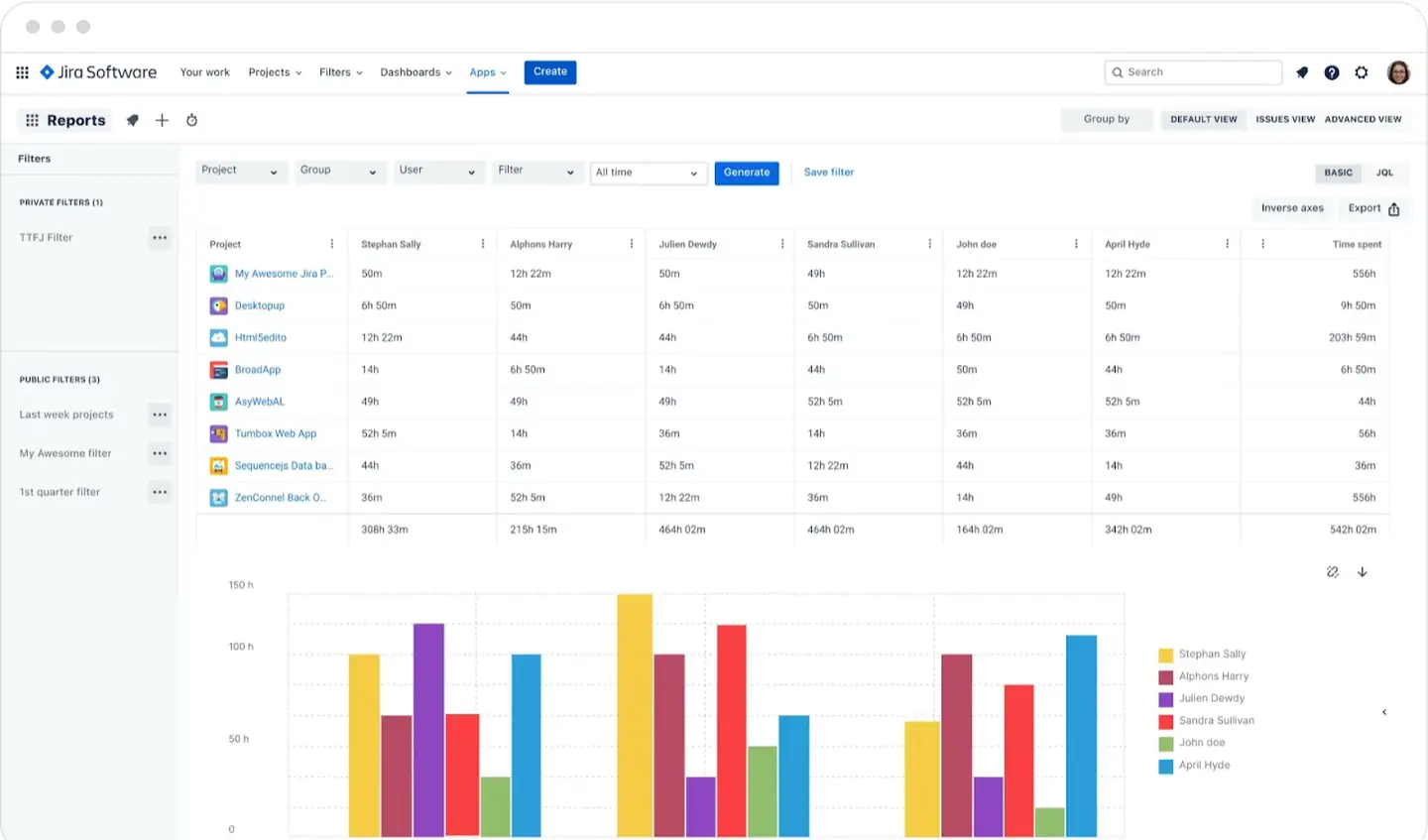
This add-on is one of the best Jira plugins that project management leaders choose for timesheet tracking. It simplifies tracking hours on Jira projects and tasks, managing resources, creating timesheets, and exporting data. The interactive dashboard allows project managers to monitor the time logs of different team members in real-time. They can also assign tasks or change statuses within a few clicks. Detailed reports offer insights into individual and team performance to guarantee that projects stay on track.
Pros:
- Streamlines Time Tracking process
- Easy-to-use Interface for quick adaptation
- Comprehensive Reports help generate insightful overviews
Cons:
- Lacks broader project management features
- Limited reporting options
- No Cloud trial extensions
Pricing:
- Cloud is free for up to 10 users. Monthly rates range from $0.85 to $0.10 per user, while annual plans start at $127.50 and reach $12,255.
Timesheets by Tempo - Jira Time Tracking Plugin
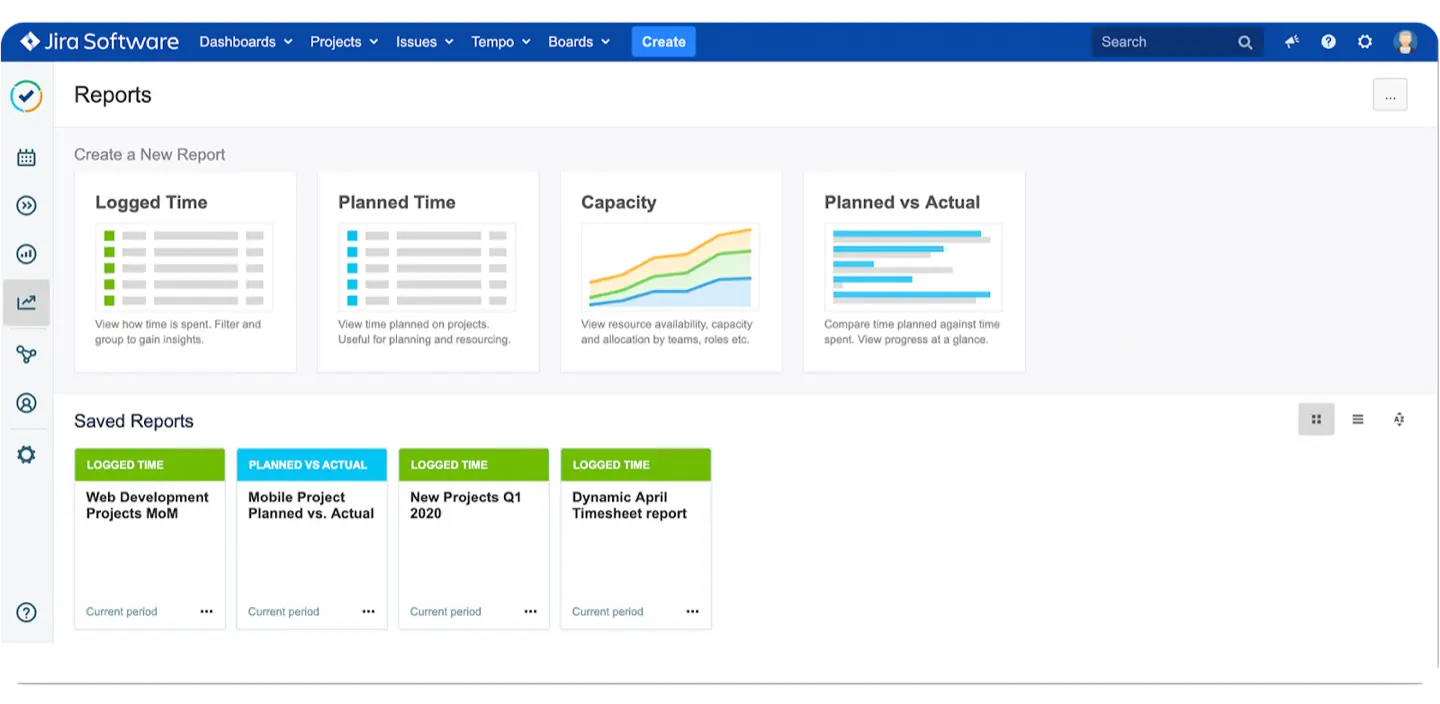
This plugin is an advanced time-tracking system for Jira that allows users to track time, analyze data, assign tasks, and manage resources. It offers to create reports with global/per-user visibility, which helps admins get detailed insights into team performance. Features include categorization, calendar & tags support, and task planning.
Pros:
- Simplifies time tracking through AI-powered suggestions
- Provides extensive tools for comprehensive reporting
- Offers custom reports with team/per-user visibility
Cons:
- Limited customization options
- The interface can be overwhelming
- Users experience performance lags with large reports or complex setups
Pricing:
- For Cloud: Teams of up to 10 users pay a flat fee of $10/month or $100 annually. Monthly rates range from $5.21 to $0.25 per user, while annual plans scale up to $30,925 for 100,000 users.
Xray Test Management for Jira
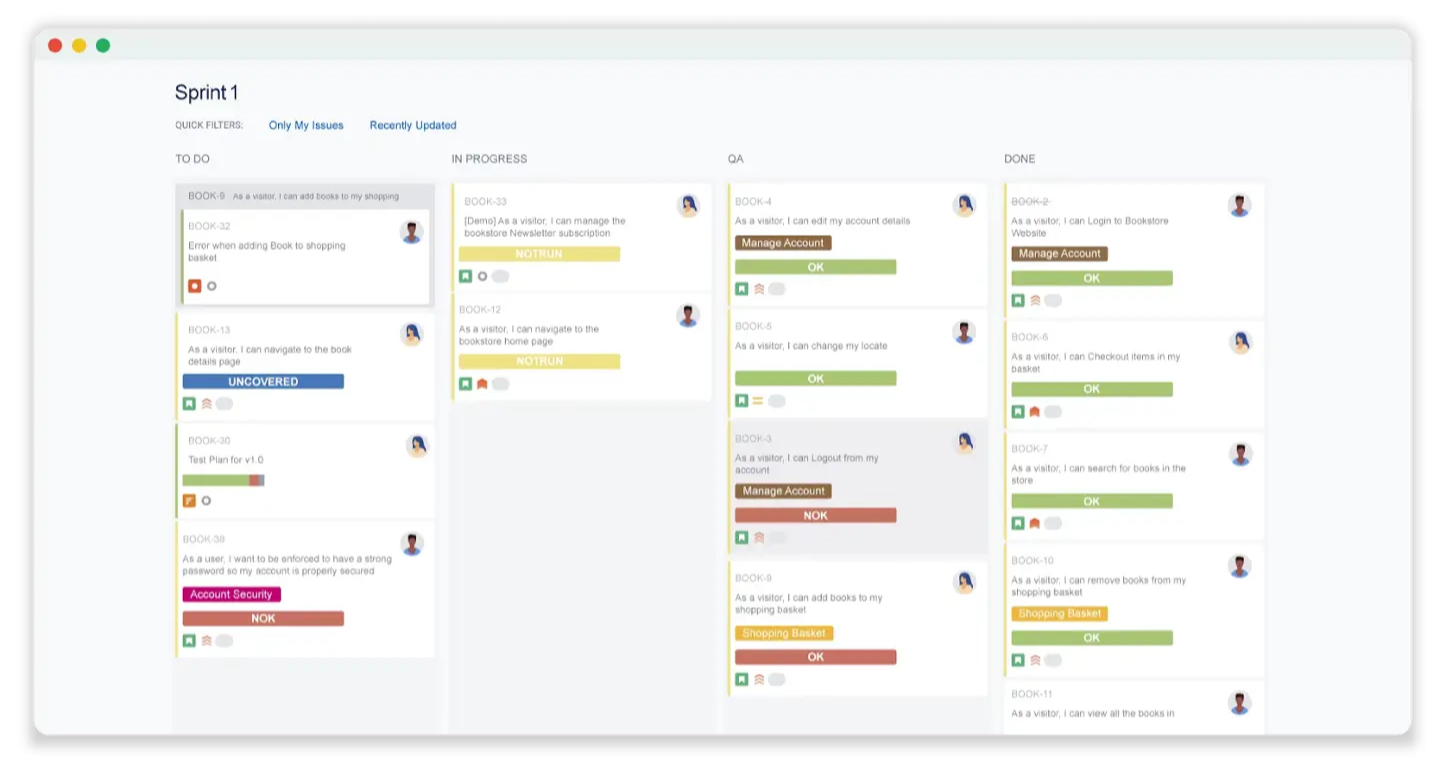
Xray is an advanced test management Jira tool. It helps reduce complexity by streamlining testing processes and integrating software development and business analysis workflows. Xray integrates with other tools to provide detailed progress insights and guarantees that all tasks are completed on schedule.
Pros:
- Makes test management easier
- Integrates with other tools for comprehensive analysis
- Offers detailed insights into project performance
Cons:
- Difficult to learn for non-technical users
- Onboarding new users is time-consuming
- Some users report integration issues
Pricing:
- Cloud: Monthly rates range from a $10 (Standard) or $12 (Advanced) flat fee for 10 users to $0.37/$0.44 per user (up to 150,000). Annual plans range from $100–$120 (10 users) to $40,366–$48,076 (100,000).
Zephyr Scale - Test Management for Jira
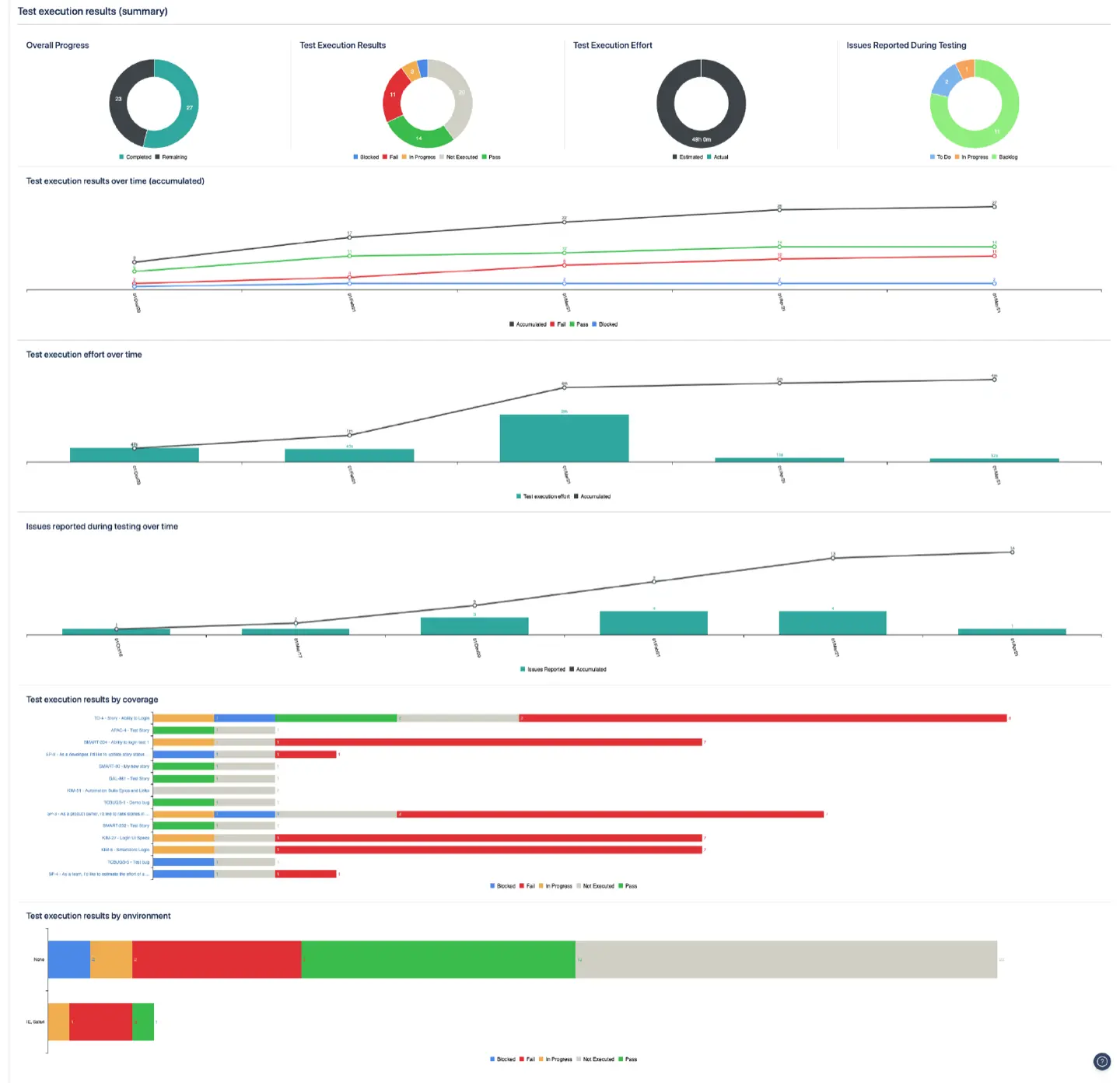
Zephyr Scale is a comprehensive test management and reporting Jira plugin. It improves testing accuracy, reduces errors, and decreases time-to-market by automating manual processes. It integrates seamlessly with other applications to provide a unified experience for viewing development progress and debugging issues within a single interface.
Pros:
- Automates manual processes for improved accuracy
- Integrates seamlessly with other applications & tools
- Offers a unified interface for viewing software development progress
Cons:
- Limited customization per project
- Requires a certain level of technical knowledge
Pricing:
- Cloud: Monthly rates range from a $10 (Standard) or $15 (Advanced) flat fee for 10 users, dropping to $0.43 or $0.54 per user for up to 150,000 users. Annual plans range from $100–$150 for 10 users to $47,495–$59,616 for 100,000 users.
Planner by Tempo – Resource Planning & Capacity Planning

Planner by Tempo is a resource and capacity planning Jira plugin. It helps managers plan out their team's resources with its intuitive interface. Users can assign tasks and collaborate with team members to adjust project plans quickly. Moreover, it has a comprehensive reporting system to generate insights into resource utilization and individual workloads.
Pros:
- Intuitive interface for quick Planning & Adjustments
- The comprehensive reporting system for generating Resource Utilization insights
- Collaboration options between Team Members
Cons:
- Difficult to scale up for team-level planning & reporting
- Requires Tempo Timesheets to work properly
- Cost: Tempo Timesheets + Planer suite will result in significant additional charges
Pricing:
- Cloud: Small teams of up to 10 users pay a flat fee of $10 per month or $100 annually. Monthly rates for larger teams range from $3.99 to $0.19 per user, while annual plans scale up to $22,629 for 100,000 users.
ScriptRunner for Jira
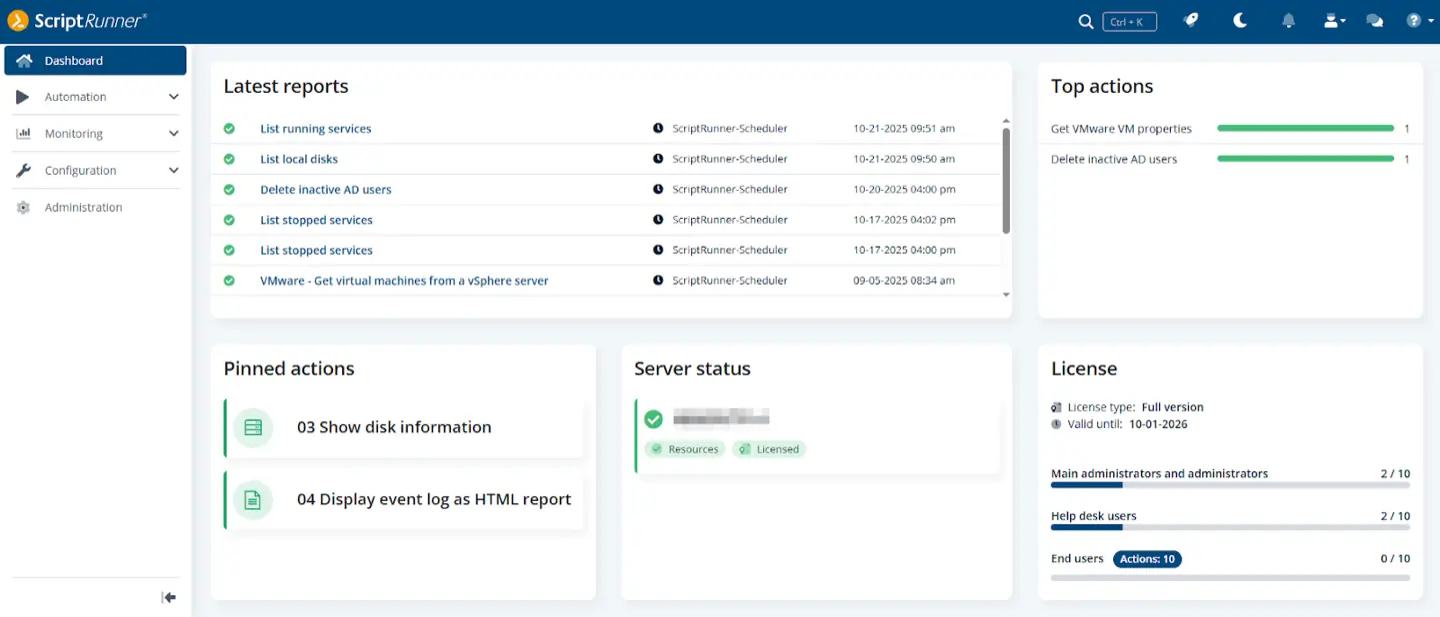
ScriptRunner Jira plugin allows the admin to automate processes, create custom reports, and control user access. It enables the integration of custom scripts through Scripted Field Validators, System Automation, Custom Listeners, and other modules. Users can create custom fields and mappings to store and retrieve data. The tool also automates issue creation and allows customization of the Jira workflow toolbox for specific needs.
Pros:
- Automates processes for improved productivity
- Integrates custom scripts into the environment for streamlined performance
- Offers Custom Reports with flexible queries and filters
Cons:
- Requires advanced scripting knowledge (Groovy)
- Users find the documentation inadequate or poorly organized for complex setups
Pricing:
- Cloud: Monthly rates are Free for up to 10 users. For larger teams, prices range from $2.62 to $0.02 per user, while annual plans are free for small teams and scale to $88,000 for 100,000 users.
Easy Agile TeamRhythm for Jira
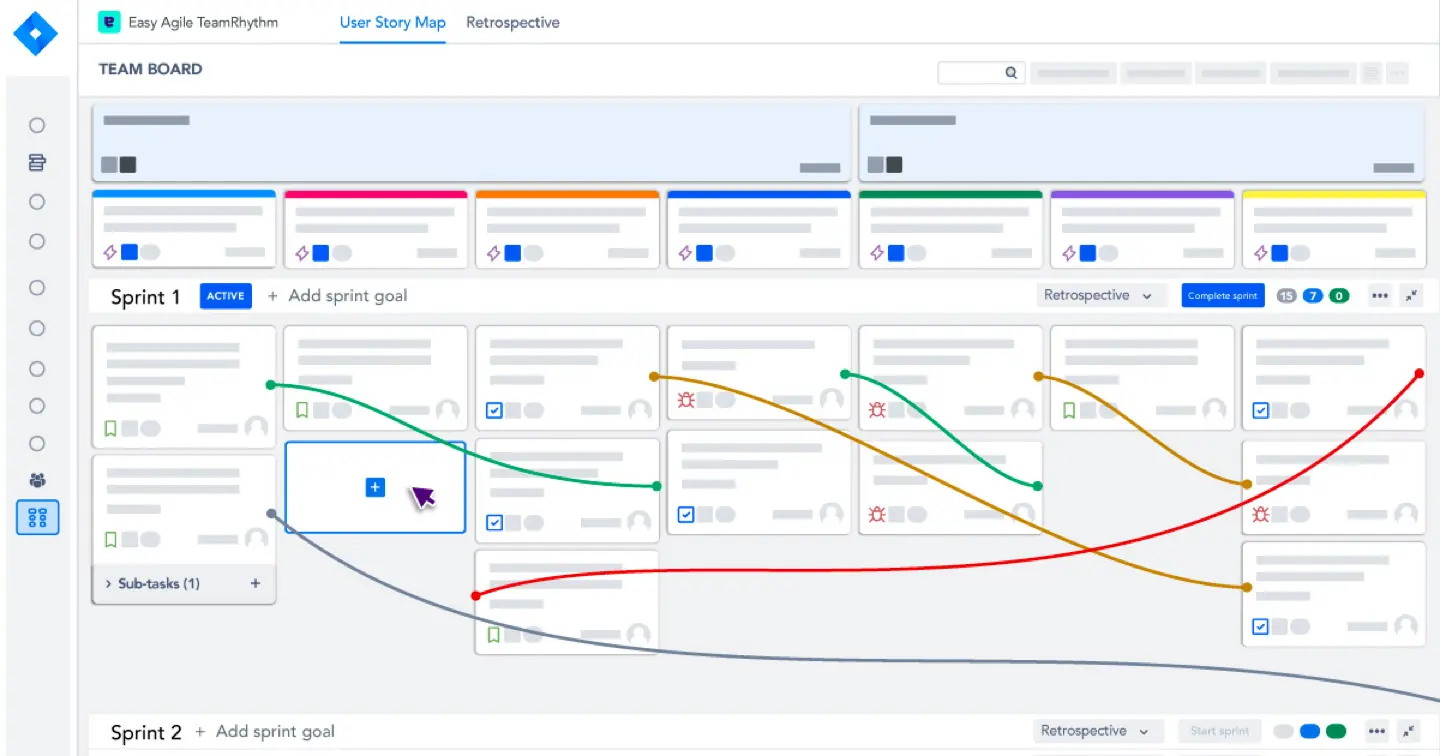
Easy Agile User Story Maps is a Jira plugin to plan, collaborate, and track user stories. It applies to any project type and provides an organized view of story maps to identify the progress of individual stories. Additionally, Easy Agile TeamRhythm supports Scrum and Kanban frameworks to accommodate various Agile approaches.
Pros:
- Enhances collaboration & simplifies Tracking of User Stories
- Supports both scrum and kanban frameworks for optimized performance
- Offers an organized view of story maps for easier visualization of progress
Cons:
- Difficult to set up properly to get a proper view
- Lack "Agile at Scale" configurations
Pricing:
- Cloud: Small teams of up to 10 users can use the app for free. Monthly rates for larger teams range from $2.80 to $0.01 per user, while annual plans scale from $420 to $55,400 for 100,000 users.
draw.io — Diagrams & Whiteboards for Jira
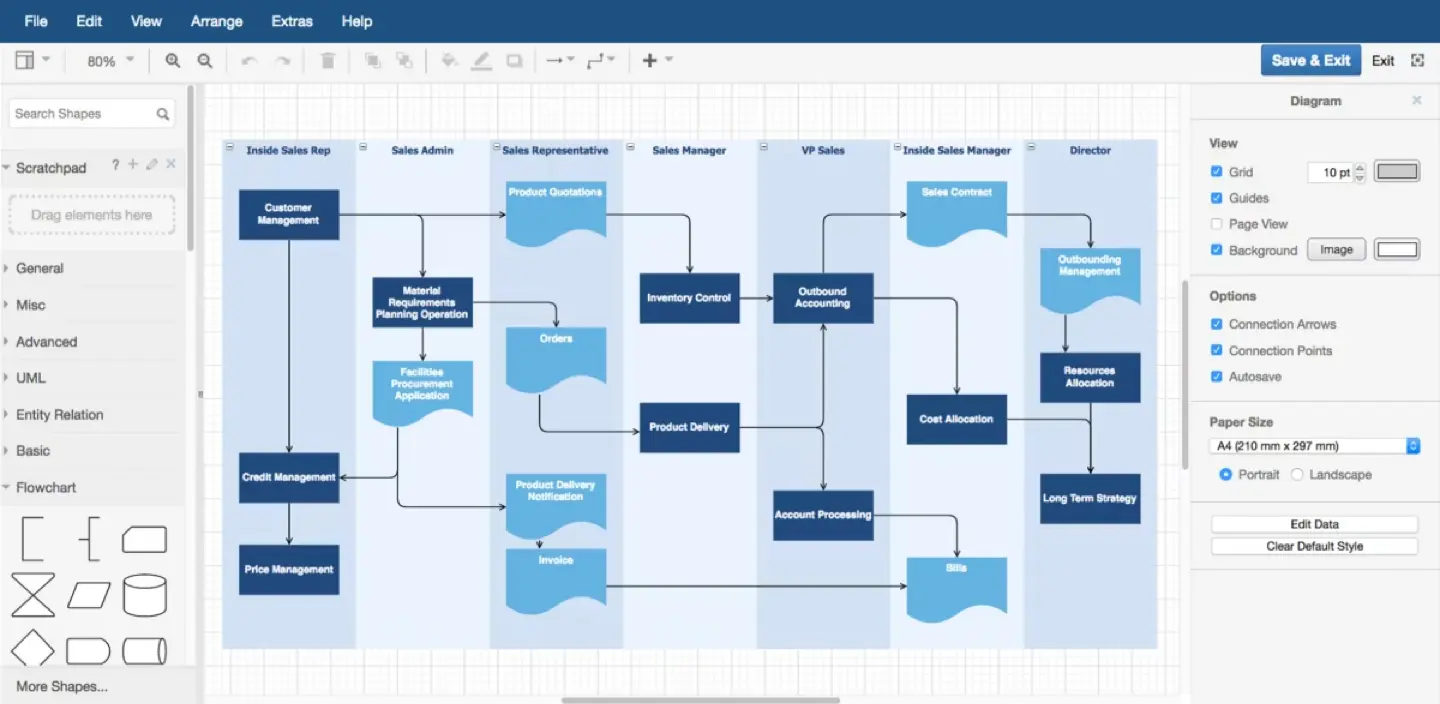
draw.io — Diagrams & Whiteboards for Jira is a plugin to create diagrams, whiteboards, and mind maps within the platform. It has an intuitive drag-and-drop function for quickly adding elements to a diagram. Real-time collaboration capabilities enable remote teams to brainstorm and share ideas instantly.
Pros:
- Intuitive drag&drop interface for easier Visualization
- Collaboration capabilities for brainstorming with colleagues in real-time
- Offers multiple diagram types
Cons:
- The software may lag with large diagrams or files
- Some elements need to be resized manually
Pricing:
- Cloud: Small teams of up to 10 users can use the app for free. Monthly rates for larger teams range from $0.75 to $0.07 per user, while annual plans scale to $83,800 for 100,000 users.
How to Get the Most Out of Your Jira Plugins?
To maximize the value of your Jira plugins, you must understand the specific benefits and limitations of each tool. Take time to explore all features within an add-on to understand how they can improve your project results. Learning about advanced configuration settings often leads to faster implementation and higher efficiency when you deploy the tools later.
Create contact points between projects if external involvement is needed. Making continuous adjustments throughout your process will help you reach your goals quickly and with minimal effort.