
Do you have the people to deliver on your promises? This is the single most critical question in portfolio management, yet it’s the one most organizations struggle to answer. This article focuses on portfolio management in Jira, showing how to align your resources and strategy for better outcomes.
You might have a perfectly crafted strategic roadmap in Jira Plans (formerly Advanced Roadmaps), outlining every epic and initiative for the next 12 months. But a roadmap without resource validation is just a wish list.
Project portfolio management is the broader discipline that connects strategy and execution, ensuring that projects are prioritized and aligned with business goals. If you don’t know who will do the work or if they have the capacity to take it on, your beautiful plan is destined for delays and budget overruns.
This article explores why resource planning is the “missing link” in Jira portfolio management and how ActivityTimeline helps organizations manage portfolios more effectively in Jira by bridging the gap between high-level strategy and on-the-ground execution.
Introduction to Portfolio Management
Portfolio management is the centralized process of overseeing and optimizing an organization’s collection of projects to ensure they support strategic objectives. By creating and maintaining a project portfolio, organizations can align their initiatives with business goals, prioritize investments, and maximize value.
In Jira, portfolio management is enhanced through powerful apps like Jira Align, Advanced Roadmaps, and other plugins that enable project categorization, resource allocation, and progress tracking. These tools help organizations streamline the portfolio management process, ensuring that every project contributes to the organization’s overarching objectives and that resources are allocated where they can have the greatest impact.
Benefits of Portfolio Management
Implementing portfolio management brings a host of benefits to organizations managing multiple projects. First and foremost, it ensures that all projects align with the company’s strategic objectives, driving better business outcomes and improved strategic alignment.
With portfolio management, development teams and project managers can allocate resources more efficiently, prioritize high-value projects, and make informed decisions about which initiatives to pursue. This approach also provides stakeholders with greater visibility into project progress, allowing them to track, analyze, and adjust as needed.
The Disconnect Between Strategy and Execution
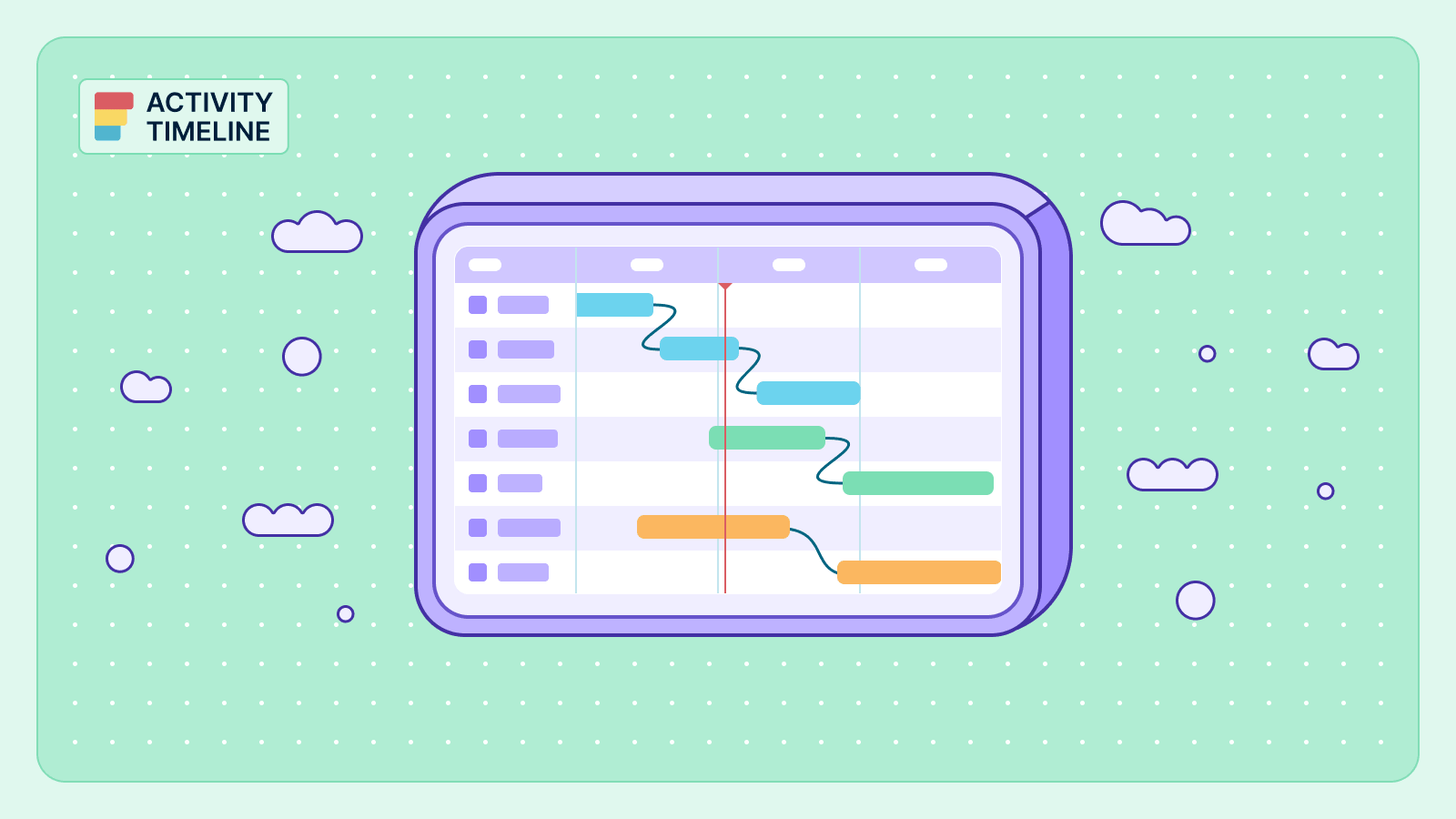
Jira Plans excels at the “what” and the “when” of portfolio management. It visualizes your hierarchy, dependencies, and strategic timelines. However, it often falls short on the “who.” It assumes infinite capacity or relies on high-level estimates that don’t reflect the reality of vacations, sick leave, or the fragmented time of shared resources, and lacks visibility into the capacity and availability of individual team members.
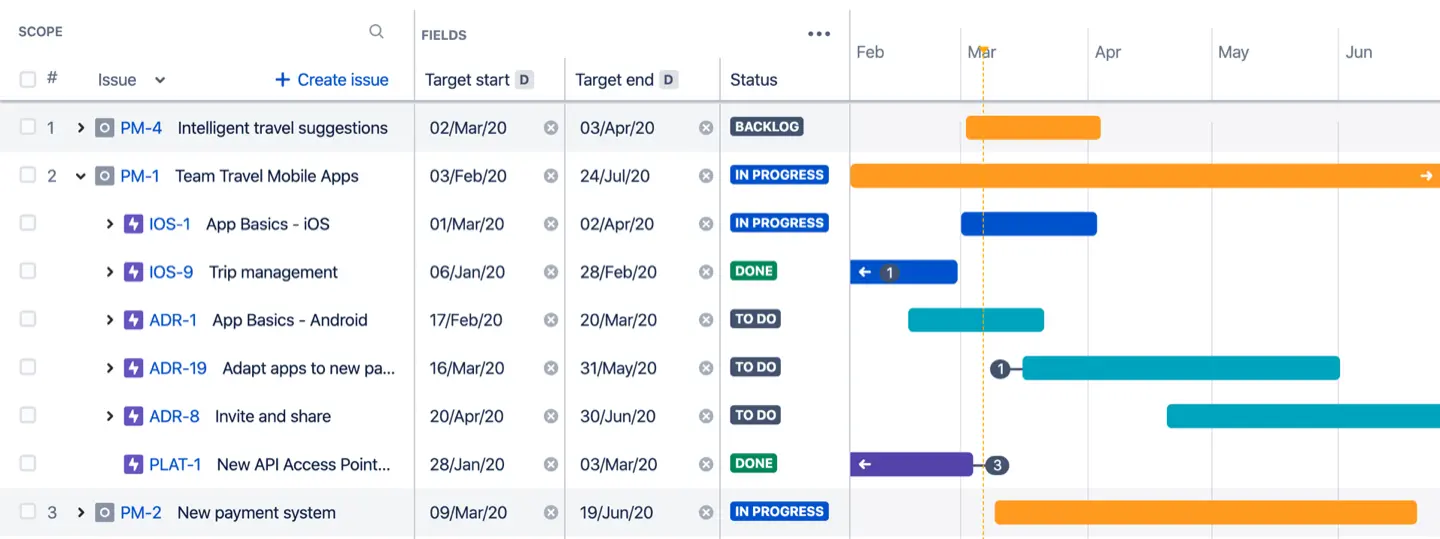
The disconnect we explained leads to the “Portfolio-Reality Gap”:
- Overcommitted Teams: Roadmaps are approved without realizing key developers are double-booked across three different projects.
- Hidden Bottlenecks: You see a clear path for an initiative, but fail to spot that your only database architect is unavailable during the critical deployment week.
- Reactive Management: Managers spend their days putting out fires caused by resource conflicts rather than steering the ship.
- Ineffective workflows can also result from poor resource planning, further hindering project execution and alignment with organizational goals.
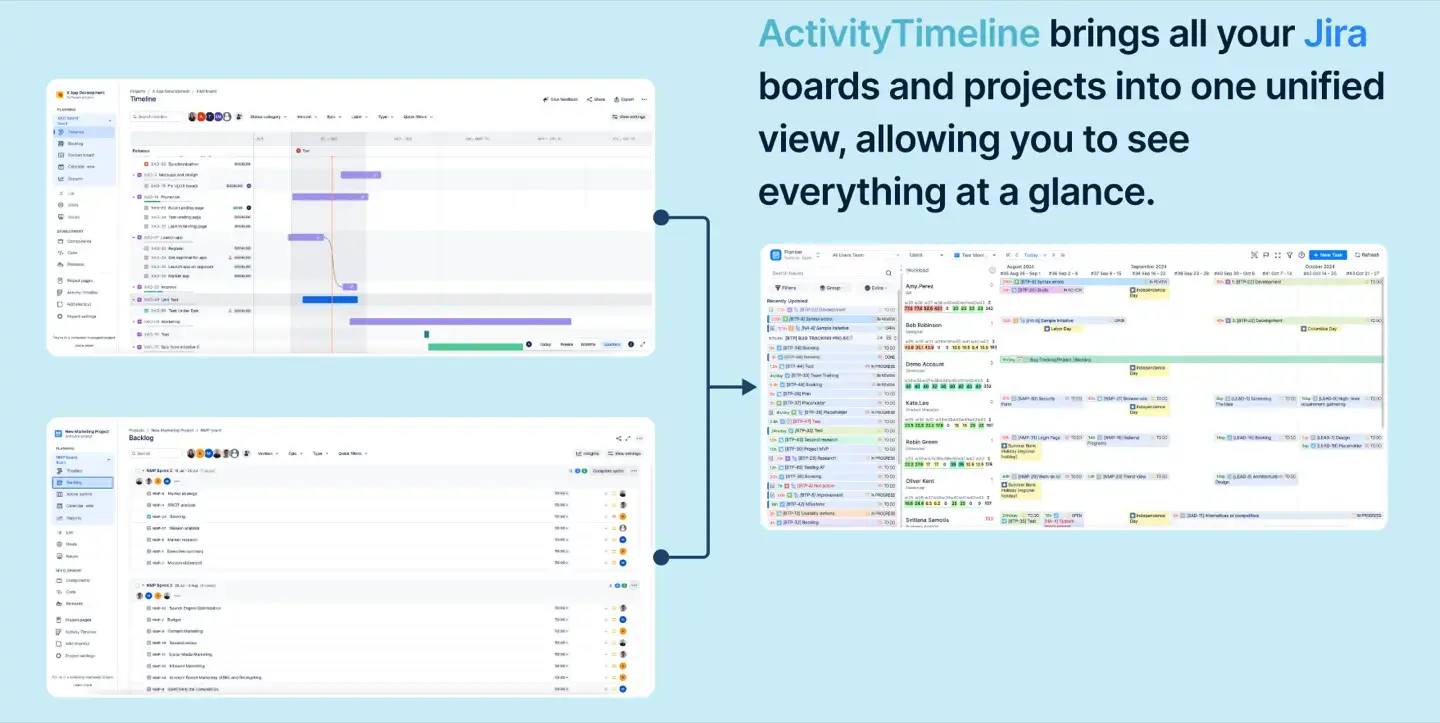
To close this gap, you need a dedicated resource planning engine that lives inside Jira but provides the fidelity that Plans lacks. Access to relevant data is essential for bridging the gap between strategy and execution, enabling better decision-making and resource allocation.
Creating a Portfolio Roadmap
A portfolio roadmap is a visual guide that maps out the projects within a portfolio, showing how they align with business objectives and how resources are allocated over time. To create a portfolio roadmap, organizations first identify projects that support their strategic goals, then prioritize them based on business value and resource needs.
Apps like Advanced Roadmaps and BigPicture make it simple to build and maintain a portfolio roadmap using timelines and resource allocation tools. Regularly reviewing and updating the roadmap ensures that it remains aligned with shifting business priorities and that resources are always directed toward the most impactful projects.
Project Categorization and Prioritization
Effective portfolio management relies on the ability to categorize and prioritize projects based on factors like business value, risk, and resource requirements.
Project managers can use custom fields to categorize Jira projects, and leverage ranking and scoring features to prioritize initiatives that best support organizational objectives. This structured approach helps to focus resources on the most critical projects, ensuring that the project portfolio delivers maximum value. By categorizing and prioritizing projects, teams can maintain a clear focus on business goals and make smarter decisions about where to invest time and resources.
ActivityTimeline: The Resource Engine for Your Portfolio
ActivityTimeline transforms Jira into a comprehensive resource-based portfolio management solution. Apps like ActivityTimeline extend Jira’s capabilities, allowing teams to enhance their portfolio management without a complete system overhaul.
While Plans sets the strategic direction, ActivityTimeline validates its feasibility and helps bring structure to portfolio management.
With ActivityTimeline, users can see the big picture of their project portfolio, visualizing multiple projects, timelines, and hierarchies at a high level.
1. The Planner: A Single Source of Truth for Execution
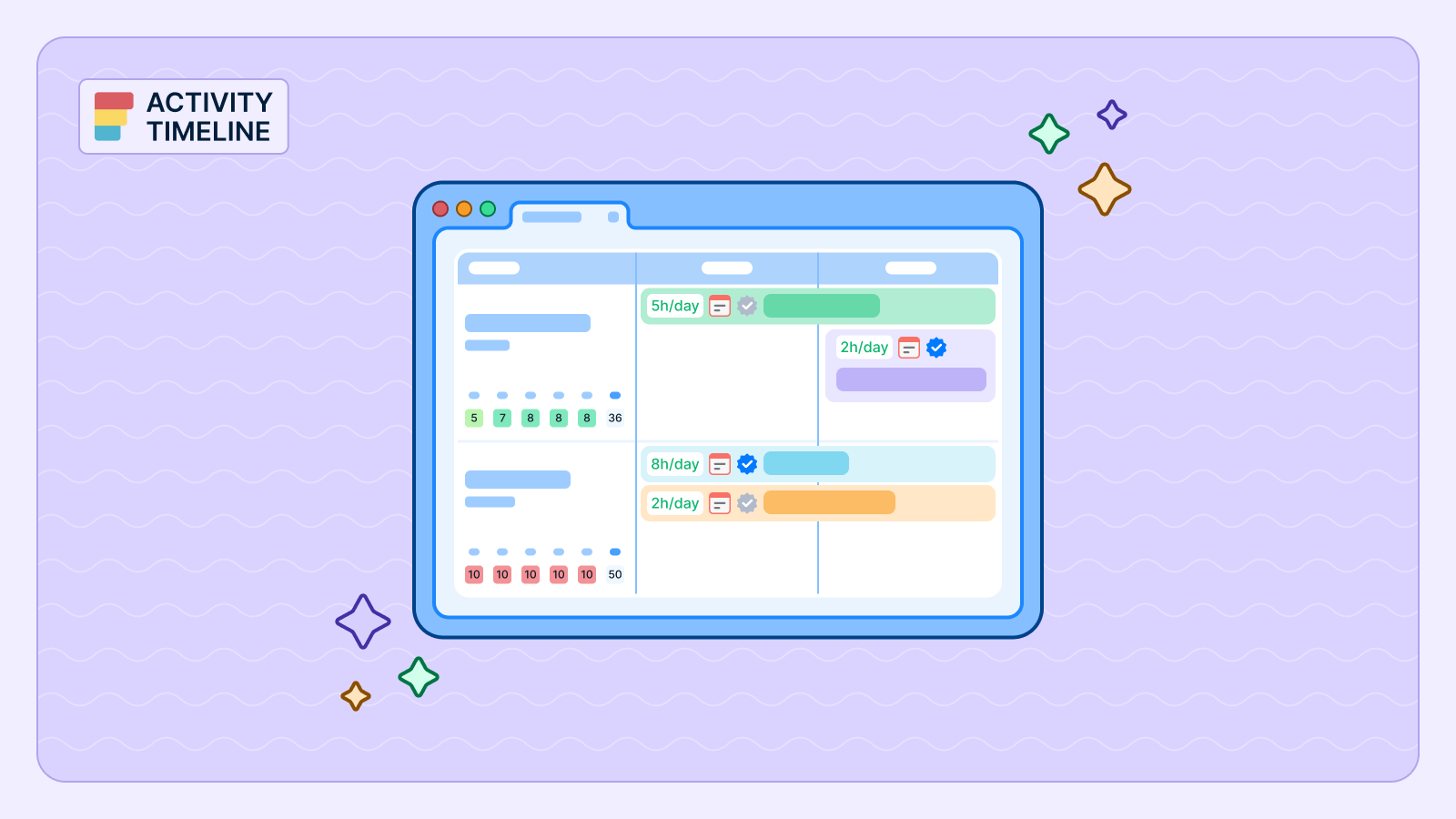
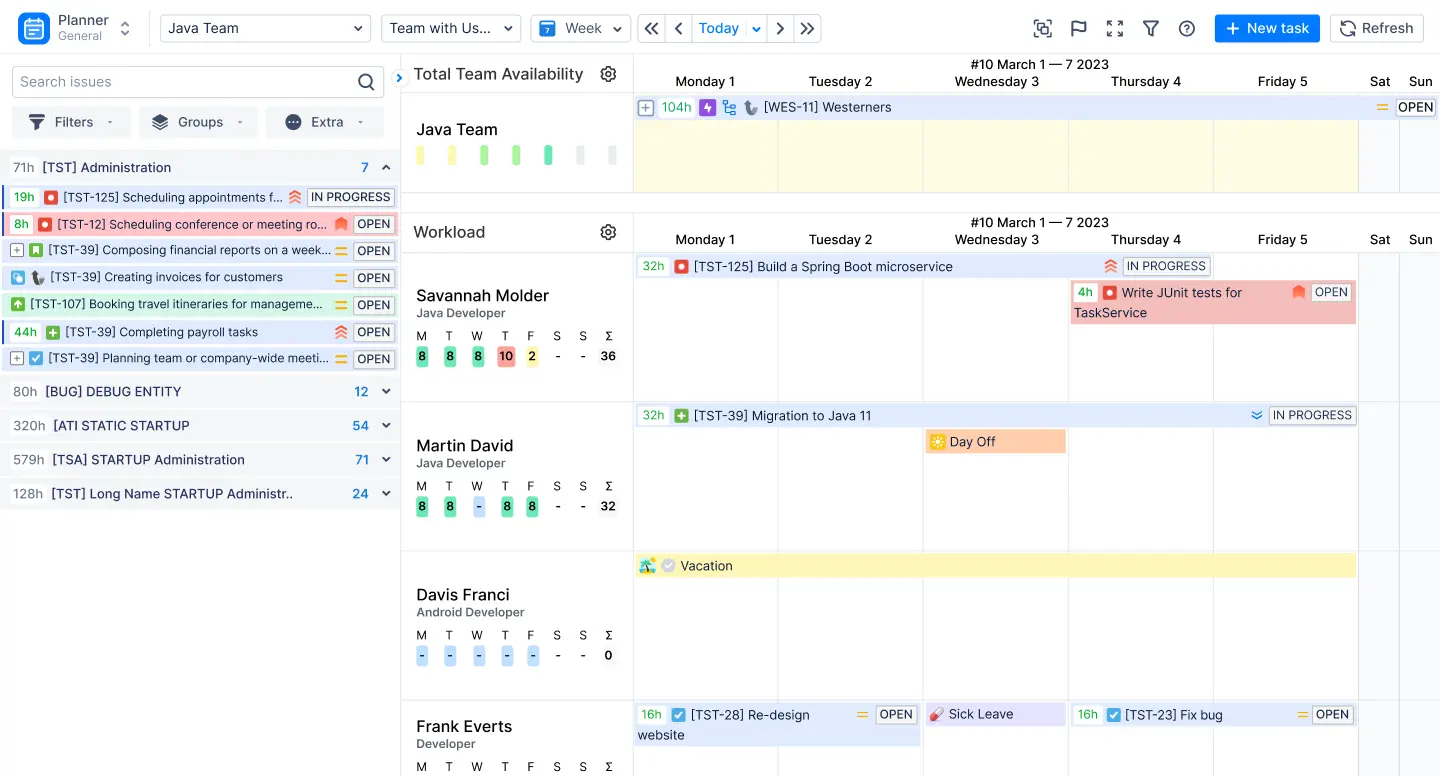
The Planner is your mission control. It consolidates all teams, projects, and tasks onto a single, cross-project dashboard. Unlike disjointed Jira boards, which often rely on a kanban board for visualizing project statuses but can fall short in providing a comprehensive portfolio management view, the Planner offers a unified timeline view where you can see:
- Every Resource: From individual developers to entire departments.
- Every Task: Jira issues, custom events (like meetings), and time off.
- Real-Time Availability: Color-coded workload indicators show instantly who is overbooked (red), who is available (green), and who is at risk of burnout.
The Planner also enhances collaboration by enabling team members to coordinate in real time, share updates, and communicate seamlessly across projects.

This granular visibility allows you to validate your portfolio plans against actual human availability, ensuring that every strategic initiative is backed by real capacity. The Planner makes portfolio information more accessible to stakeholders, allowing them to easily retrieve and understand key data at any level of detail.
2. The Team Panel: High-Level Long-Term Planning
For portfolio managers, the Team Panel is a game-changer. It elevates your view from individual tasks to team-level capacity and supports planning for agile teams by providing a clear overview of their workload and progress.
- Macro Planning: Drag and drop entire Epics or Program Increments onto a team’s timeline to reserve capacity months in advance. The Team Panel can be used to plan for programs as well as projects, giving you flexibility in managing different types of work.
- Capacity Checks: Immediately see if a team has enough total hours to take on a new initiative without needing to assign specific individuals yet.
- Scenario Planning: Test different resource allocations to see how they impact your portfolio’s feasibility before committing to a plan, including balancing resources across multiple teams.
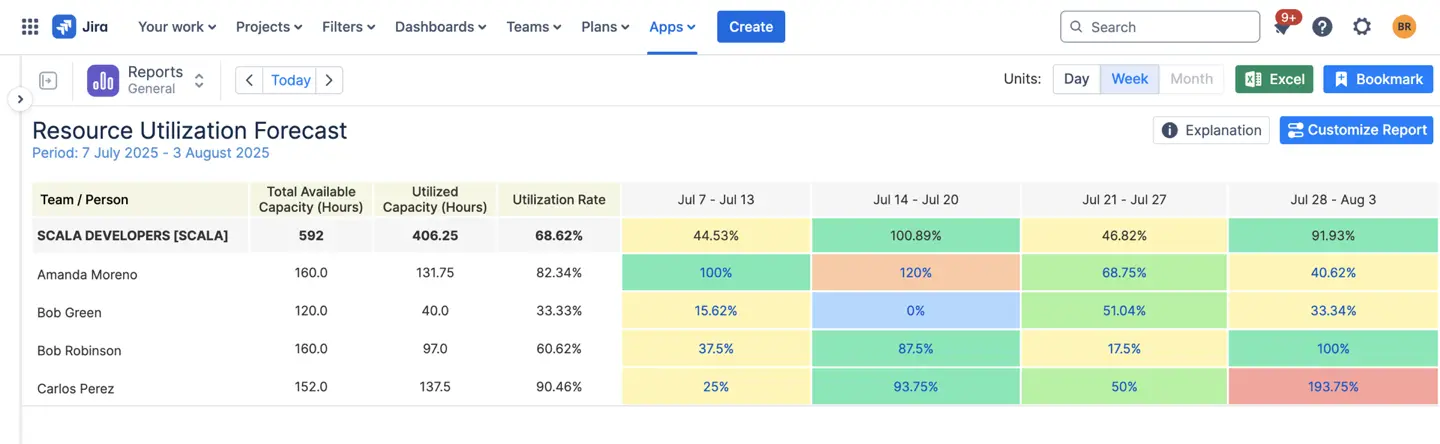
3. Forecasting Reality: The Resource Utilization Forecast Report
To manage a portfolio effectively, you need to see the future. The Resource Utilization Forecast report is your crystal ball. It uses existing Jira data (estimates and scheduled tasks) to predict workload trends weeks or months in advance, and aggregates data from multiple sources to provide a comprehensive view across projects.
- Identify Future Bottlenecks: Spot a resource shortage in Q3 while you are still in Q1.
- Optimize Hiring: Use data-backed forecasts, including story points, to justify headcount requests or contractor budget.
- Balance the Load: Proactively shift work between teams to ensure no single group is drowning while others are idle.
These forecasting tools can scale to meet the needs of large organizations, supporting analysis across different timeframes and project volumes.
The Perfect Pair: ActivityTimeline & Jira Plans
ActivityTimeline integrates seamlessly with Jira Plans (Advanced Roadmaps) to create a closed-loop system for portfolio success.
The Workflow:
- Plan: Define your strategic roadmap and high-level timelines in Jira Plans, including portfolio level planning and scheduling for upcoming releases.
- Validate: Sync those plans to ActivityTimeline to check if teams actually have the capacity to deliver them.
- Execute: Use the ActivityTimeline Planner to assign specific tasks and manage daily schedules.
- Track: Monitor progress in real-time and adjust the roadmap in Plans as reality unfolds, ensuring release milestones are met.
Both tools provide access to critical project and portfolio information for stakeholders, including those without Jira licenses, through integrations and sharing options.
Best Practices for Portfolio Management
To get the most out of portfolio management, organizations should adopt a set of best practices that drive continuous improvement and strategic alignment.
- Regularly reviewing and updating the portfolio roadmap ensures that projects remain aligned with business objectives and that resources are allocated effectively.
- Establishing clear metrics and benchmarks allows teams to measure project performance and make data-driven decisions about prioritization.
- In Jira, leveraging add-ons like Jira Align and BigPicture, using custom fields for categorization, and tracking progress with real-time data are all essential practices for managing portfolios successfully.
- By following these best practices, organizations can optimize their project portfolio, improve resource allocation, and achieve their strategic objectives with greater confidence.
Conclusion
A portfolio plan without resource validation is a gamble. By adding ActivityTimeline to your Jira environment, you stop guessing and start knowing. Enterprise solutions like ActivityTimeline are especially valuable for large companies that require scalable, advanced portfolio management capabilities. You gain the ability to answer the hard questions about capacity, prevent team burnout, and ensure that your strategic goals are grounded in reality.
Don’t just plan the work—plan the people who make the work possible. These tools help your organization manage the scope of its portfolios, ensuring resources are allocated efficiently and projects stay on track. Executives also benefit from improved visibility and comprehensive reporting, enabling better decision-making across the organization.
{{rich-cta-3}}